Embedded GUI Performance & Memory Footprint

Sparklet runs in as little as 16 KB RAM and achieves 60fps rendering on cost-effective MCUs. Understand the memory footprint model, rendering optimisation techniques, and platform-specific performance characteristics before you choose your next embedded GUI framework.

How Is Embedded GUI Performance Measured?

Embedded GUI performance covers two dimensions that product teams must evaluate before selecting a framework: memory footprint (how much RAM and Flash the framework and its UI data consume) and rendering performance (the frame rate and CPU utilisation the framework achieves for a given UI design on a given hardware platform). Both dimensions are critical for embedded systems where RAM is measured in kilobytes and the CPU is shared between the GUI, the RTOS, and the application firmware.

Sparklet is designed to minimise both dimensions simultaneously. Its layered architecture allows unused features to be excluded at link time, reducing Flash consumption. Its dirty-region rendering engine redraws only the pixels that have changed each frame, reducing both CPU load and memory bandwidth. Where hardware acceleration is available — DMA2D on STM32, D/AVE2D on Renesas, Mali GPU on RA8D1 and i.MX 8, PXP on i.MX RT — Sparklet delegates pixel operations to the accelerator automatically, freeing the CPU for application tasks.

This page details the memory footprint model, platform benchmark data, and the four rendering optimisation techniques that make Sparklet suitable for the most resource-constrained embedded display applications. For hardware acceleration specifics, see the Hardware Acceleration page.

Platform Performance Reference (Indicative — Contact Embien for Verified Benchmarks)

PlatformResolutionColour DepthFramebuffer RAMAcceleratorFrame Rate
STM32H7 (software)480×272RGB565~254 KB × 2NoneContact Embien
STM32H7 + DMA2D480×272RGB565~254 KB × 2DMA2D Chrom-ARTContact Embien
Renesas RH850 + D/AVE2D1280×480RGB888External SDRAMD/AVE2D GPUContact Embien
Renesas RA8D1 + Mali GPU800×480ARGB8888~1.5 MB × 2Mali-Limav OpenGL ESContact Embien
NXP i.MX RT1170 + PXP1280×720RGB565External SDRAMPXPContact Embien
NXP i.MX 8 + Mali GPU1920×1080ARGB8888External LPDDR4Mali OpenGL ES / VulkanContact Embien

RAM Footprint Model — Three Components

ComponentMinimumTypicalNotes
Sparklet Core6 KB10 KBExecution engine, event queue, GDI state; event queue depth configurable
Widget State Data~500 B per widget10 KB (20 widgets)Only active screen widgets resident; off-screen widgets not loaded
Font Glyph Cache0 KB4 KBOptional; eliminates repeated glyph render overhead for numeric displays
Animation Engine0 KB2–4 KBOptional; add only when animation features are used
Framebuffer (partial)5 KB20 KBPartial buffer mode; horizontal strip flushed to display controller sequentially
Framebuffer (full 320×240 RGB565)150 KB300 KB (2x)Single or double buffer; dominant RAM cost at larger resolutions
Framebuffer (full 800×480 RGB565)750 KB1.5 MB (2x)Double buffer for tear-free display; typically on external SDRAM

Rendering Optimisation Techniques

RAM Optimisation

Sparklet's dirty-region rendering engine tracks which screen regions have changed since the last frame. Only those dirty regions are redrawn — unchanged areas are not touched. For a typical instrument cluster where 80% of the display is static background, dirty-region rendering reduces per-frame pixel processing by 70–85% compared to full-screen redraw. Combined with partial buffer mode — where the framebuffer is a configurable horizontal strip of N lines rendered and flushed sequentially — Sparklet can operate within as little as 16–20 KB of total RAM. Partial buffer mode is ideal for STM32F4-class MCUs with small SPI or parallel displays. The strip height is configurable: a 4-line strip at 320×240 RGB565 requires approximately 5 KB of framebuffer RAM. Unused widgets, modules, and optional features are excluded at link time — Flash footprint scales with what is actually used.

Flash Optimisation

The Sparklet library binary — compiled for ARM Cortex-M with all standard widgets — occupies approximately 80–120 KB of Flash. Unused widgets are excluded at link time. Flint UI Designer exports Flint-generated screen code as optimised C; a 10-screen automotive cluster project generates approximately 20–50 KB. Font Flash is controlled by selective glyph compilation: Flint analyses all strings across all locales and compiles only the glyphs actually referenced — reducing CJK font Flash from 10–30 MB to 300–800 KB for a typical Japanese HMI. PNG and JPEG image assets imported in Flint are converted to Sparklet's internal compressed image format; typical PNG UI assets compress to 30–60% of original size. Total Flash for a production HMI using Sparklet typically ranges from 200 KB to 1 MB depending on asset richness. If your application has tight Flash constraints, see our guide on reducing embedded GUI memory usage.

CPU Optimisation

Where a hardware accelerator is present — DMA2D, D/AVE2D, Mali, or PXP — Sparklet's GDI layer delegates pixel fill, blit, and blend operations to the hardware unit asynchronously. The CPU submits the draw command and immediately proceeds to the next instruction while the hardware executes the pixel operation in parallel. This is the most impactful CPU optimisation for MCUs with dedicated accelerators: on STM32H7 with DMA2D, average CPU load drops from 60–80% to under 20% for a typical animated UI. For MCUs without hardware acceleration, Sparklet's software renderer is hand-optimised for ARM Cortex-M: 32-bit word-aligned reads and writes, Thumb-2 optimised inner pixel loops, and SIMD-friendly data layout. The font glyph cache (configurable, typically 4 KB) eliminates repeated font rendering overhead for live numeric displays — a common performance hotspot in instrument cluster firmware. If your current design shows performance problems, see troubleshooting slow embedded GUI performance.

Flash Footprint — Sparklet Binary and Asset Storage

Sparklet's Flash consumption has four components: the library binary, the Flint-generated screen code, font data, and image assets. Each is independently controllable.

Sparklet library binary

The Sparklet library binary — compiled for ARM Cortex-M with all standard widgets included — occupies approximately 80–120 KB of Flash. Unused widgets are excluded at link time, reducing binary size. Sparklet's MISRA C compliant source is provided to customers for full build control.

Flint-generated screen code

Flint UI Designer exports the UI as C code. A typical 10-screen automotive cluster project generates approximately 20–50 KB of screen C code. The code is optimised by Flint — no redundant data, asset references use pre-compressed identifiers. Animation definitions and state machine tables add incrementally.

Font data — selective glyph compilation

A Latin-only font at two sizes (e.g., 16px and 32px Montserrat) occupies approximately 20–40 KB of Flash. CJK fonts are stored selectively — only glyphs actually referenced in the UI string tables are compiled. This reduces CJK font Flash by over 90% compared to a full Unicode font file. For multi-language deployments, see the Multi-Language Support page.

Image assets

PNG and JPEG images imported in Flint are converted to Sparklet's internal compressed image format. Compression ratio depends on image content; typical PNG UI assets compress to 30–60% of their original size. Total image asset Flash is entirely application-dependent.

Performance Features at a Glance

Five properties that make Sparklet suitable for the most memory-constrained and performance-sensitive embedded display applications.
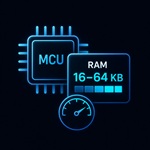
16 KB RAM

16 KB Minimum RAM

Partial buffer rendering reduces framebuffer RAM to a horizontal strip. Sparklet core + widgets fit in as little as 16 KB total — proven on STM32F4-class MCUs with small displays.

Dirty Region

Dirty-Region Rendering

Only changed pixels are redrawn each frame. Reduces CPU and memory bandwidth by 70–85% for UIs with mostly static content — a core technique for achieving 60fps on mid-range MCUs.

Acceleration

Hardware Acceleration

DMA2D, D/AVE2D, Mali GPU, and PXP offload pixel operations from the CPU. The GDI abstraction layer switches to the available accelerator automatically — no application code changes.

Configurable

Configurable Feature Set

Unused widgets, modules, and optional features are excluded at link time. Flash footprint scales with the features actually used — from 80 KB upward, not a fixed overhead.

Frequently Asked Questions

Sparklet's minimum RAM configuration — with partial buffer rendering enabled and a small widget set — is approximately 16 KB. This covers the Sparklet core (6–10 KB), widget state for active widgets (~500 bytes each), and a partial framebuffer strip (5–20 KB). A typical production UI at 320×240 RGB565 with double framebuffer uses approximately 160–200 KB of total RAM. Framebuffer RAM is the dominant cost and is determined by display resolution and colour depth.

Evaluate Sparklet Performance on Your Hardware

Download the Sparklet evaluation binary and Flint UI Designer. Measure real frame rates and CPU utilisation on your target MCU or MPU evaluation board with your actual display resolution.