Start Your Free Sparklet Evaluation

The Sparklet evaluation includes the full framework binary for every supported platform, the complete Flint UI Designer tool with no restrictions, ready-to-run sample projects, and getting-started documentation. No hardware required — build your first embedded GUI on the Windows PC simulator today.

How to Get Started with Sparklet Embedded GUI

Getting started with Sparklet means requesting a free evaluation package from Embien Technologies. The evaluation includes the Sparklet library binary for your target platform, the full Flint UI Designer, sample projects, and documentation — everything needed to build and run a working embedded GUI without writing a single line of rendering code. No credit card is required. No features are locked. The evaluation runs on the Windows x86 PC simulator so you can start designing screens before your hardware arrives.

There are two ways to begin: request the evaluation package and work independently, or book a 30-minute technical demo with an Embien engineer who will walk through Sparklet running on your specific target MCU or MPU.

Two Ways to Get Started

Choose the path that fits your evaluation style — both lead to the same outcome.

Request the Sparklet Evaluation Package

Fill in a short request form with your name, company, target platform, and a brief description of your project. Embien's team will send you the evaluation binary for your platform, the Flint UI Designer installer, sample projects, and getting started documentation within one business day.

Most engineers build and run their first screen within a few hours of receiving the evaluation. The Windows PC simulator renders identically to target hardware — the UI you design in Flint on the PC is the UI you will see on your MCU. No hardware is needed to start. When your board arrives, deploying the same design typically takes less than an hour.

  • Full Sparklet binary for your chosen platform
  • Flint UI Designer — complete, unrestricted
  • Sample projects and UI pattern library
  • Getting started guide and API reference
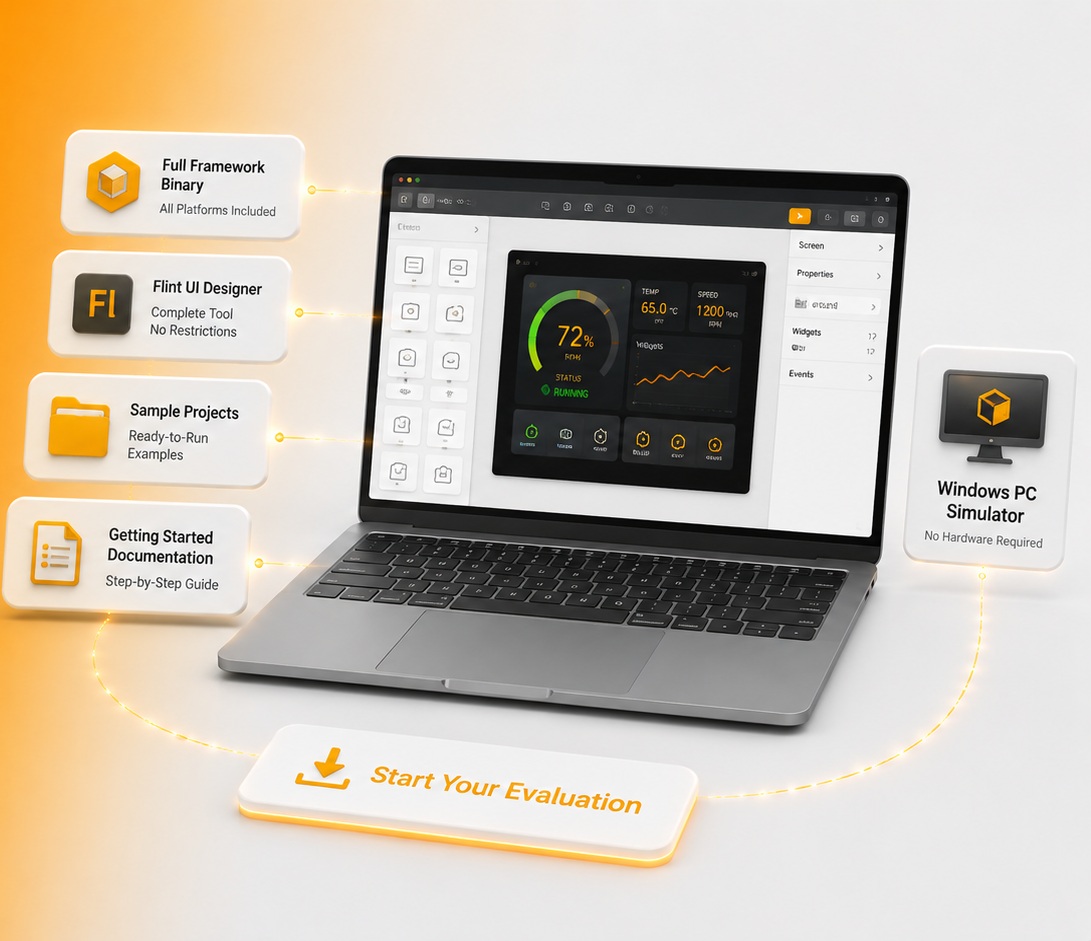
What's Included in Your Sparklet Evaluation

Everything you need to build, run, and evaluate a production-quality embedded GUI — available from day one.
Library Binary

Framework Binary

Full Sparklet evaluation build for all supported platforms — Renesas, NXP, STM32, Infineon, Nuvoton, Rockchip, and Windows x86 simulator. No features removed, no time limit.

Flint Designer

Flint UI Designer

Complete Flint WYSIWYG tool: drag-and-drop widgets, state machine editor, animation designer, Figma import, and one-click C code generation. No restrictions.

Sample Projects

Sample Projects

Ready-to-run Sparklet projects for each platform — widget demos, animation examples, multi-screen navigation, and data-driven dashboard patterns. Compile and run on day one.

Documentation

API Reference & Guides

Step-by-step getting-started guide from project setup to first deployed screen, plus the full Sparklet API reference for all 36+ widgets. Accelerate from evaluation to production.

Five Steps from Evaluation to Deployment

A typical path from receiving the evaluation package to running Sparklet on production hardware.
Step 1

1. Download Flint UI Designer

Install the Flint UI Designer application on any Windows PC. Create a new project matching your target display resolution. Place widgets on the canvas — no code required at this stage.

Step 2

2. Run the PC Simulator

Export C code from Flint and build the Windows x86 simulator target. Run your UI immediately on the PC — the simulator renders identically to target hardware including widget behaviour and animations.

Step 3

3. Explore the Widget Library

Browse the 36+ ready-to-use widgets: Meter, Graph, Button, Slider, ProgressBar, Carousel, Clock, and more. Modify sample projects to match your application data model and screen flow.

Step 4

4. Connect to Target Hardware

Build the platform-specific evaluation binary for your MCU or MPU. Flash to your board and verify the same UI running on hardware. HAL reference implementations are provided for all supported platforms.

Step 5

5. Contact Sales for Licensing

When your evaluation is complete and you are ready to move to production, contact Embien to discuss the royalty-free developer-seat licence. No per-unit fees at any production volume.

Evaluation Binary Available for All Supported Platforms

PlatformTypeEval BinaryFlint SupportNotes
Windows x86 (PC Simulator)SimulatorNo hardware required — fastest way to start
Renesas RH850MCUAutomotive clusters; D/AVE2D acceleration
Renesas RA6M3MCUIoT/Industrial; Cortex-M4 + 2D HW accel
Renesas RA8D1MCUHigh-performance; Mali-Limav GPU
NXP i.MX RT1170MCUCrossover MCU; PXP + 2D/3D GPU
NXP i.MX 8MPULinux MPU; Mali GPU, OpenGL ES
STM32 F4 / H7 / U5MCUCortex-M; DMA2D/Chrom-ART
Infineon TRAVEO T2GMCUAutomotive HMI; Cortex-M7 cluster
Nuvoton Gerda-ZWEIMCUIndustrial/consumer; compact MCU class
Rockchip RK3506G2MPULightweight MPU; Linux, display-focused

Sparklet Licensing — Royalty-Free, Developer-Seat Model

Sparklet is licensed on a royalty-free, developer-seat model. You pay for the number of engineers using the framework — not for the number of devices you ship. Deploy to a million devices; pay only for the developer seats you use. There are no per-unit royalties. Ever.

Two licensing tiers are available:

Contact us for pricing — competitive and structured to fit teams from startup scale to enterprise production volume. Embien responds within one business day.

Frequently Asked Questions

No. The Sparklet evaluation package includes a Windows x86 PC simulator build. You can design screens in Flint UI Designer, generate C code, and run a fully functional embedded GUI on any Windows PC without any embedded hardware. When your hardware arrives, deploying the same design to the target MCU typically takes less than an hour.

Get Your Sparklet Evaluation

Tell us your target platform and project details — Embien's team will send you the evaluation binary and Flint UI Designer installer within one business day.