Three Layers of the Flint State Machine
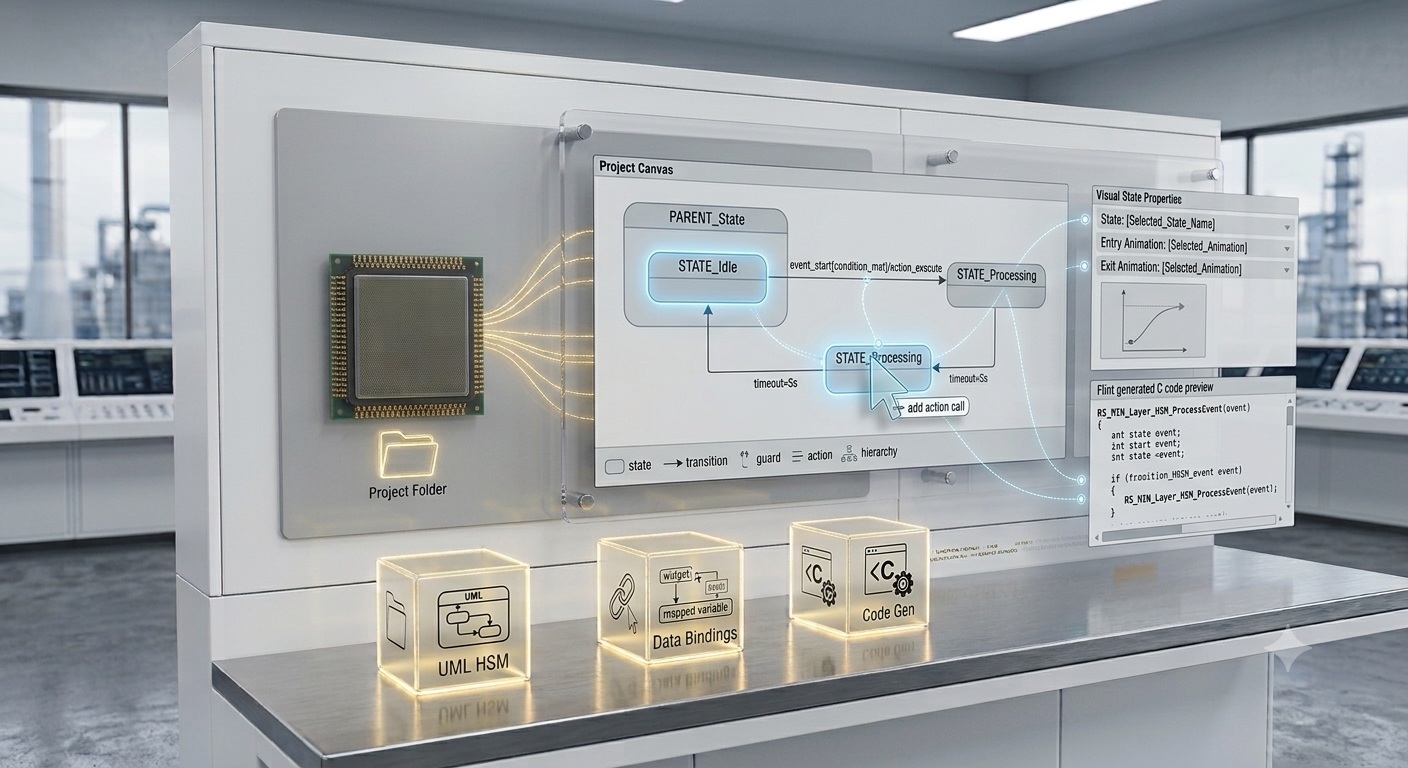

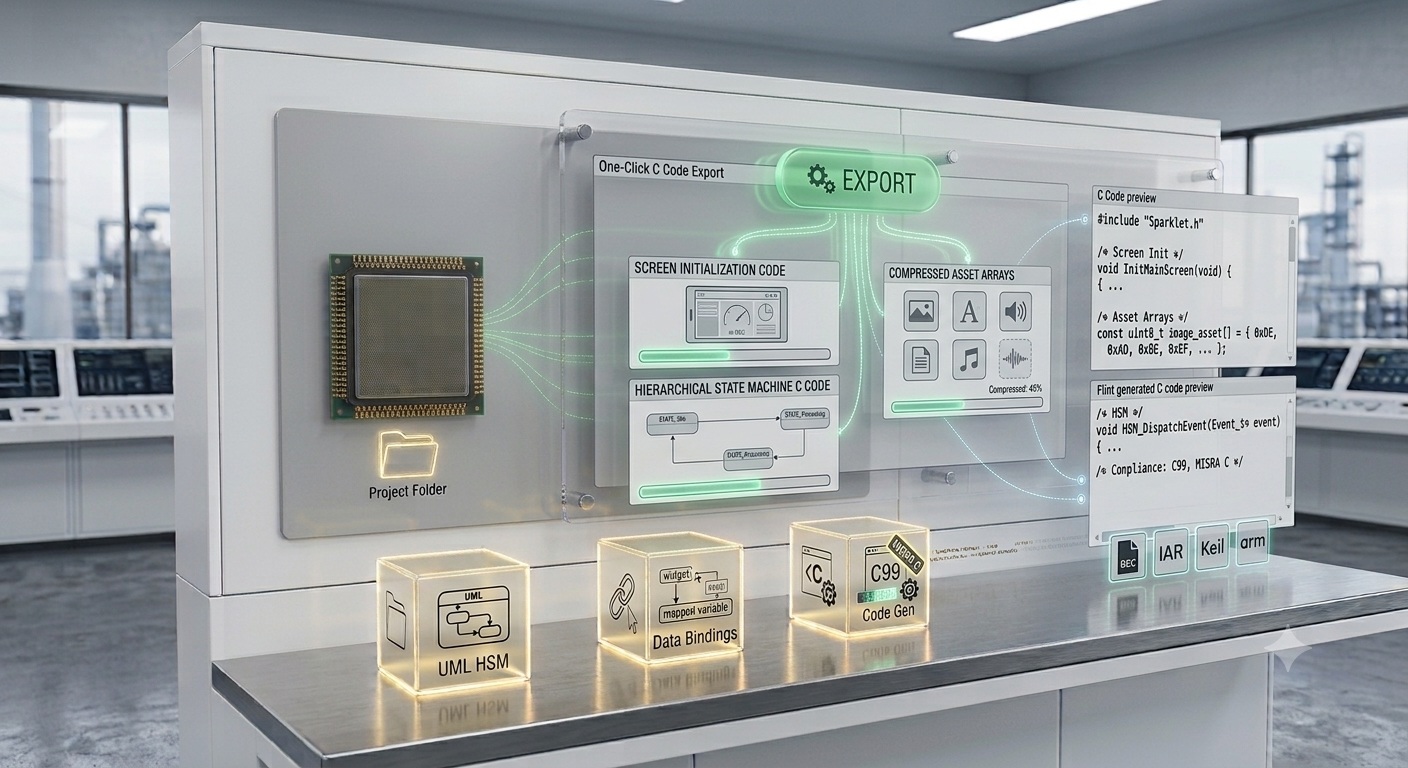
Define how your embedded display responds to events — which screen is active, which widgets are visible, what animations play — using Flint's UML-based visual state machine editor. Sparklet generates a complete C hierarchical state machine. No flag variables, no if-else chains, no manual state management.
A visual state machine editor for embedded GUI is a tool that lets developers define an application's screen navigation logic, event responses, and UI state transitions as a UML state diagram — rather than as hand-written if-else chains and flag variables in C code. Flint UI Designer, Sparklet's PC-based design tool, includes a fully integrated UML-based hierarchical state machine (HSM) editor. States, transitions, guards, and actions are drawn visually. On export, Flint generates a complete C state machine implementation using Sparklet's RS_MIN layer, which the application drives by sending events — with no UI logic to maintain in application code.
Every non-trivial embedded GUI has state. A medical patient monitor shows different screens depending on whether the device is in standby, measuring, alarming, or configuration mode. An automotive cluster shows different data layouts depending on the vehicle drive mode and warning status. An industrial HMI navigates between overview, detail, and settings screens based on operator input. Managing this state correctly — handling event priorities, ensuring valid transitions, coordinating widget updates and animations — is one of the most error-prone parts of embedded GUI development when done manually.
Flint's state machine editor makes this logic visible, auditable, and automatically implemented in C. The Flint UI Designer integrates the state machine directly with widget designs and animation sequences, so the full UI behaviour is defined in one place.
A hierarchical state machine (HSM) organises states into parent-child relationships. A child state inherits all event handlers and properties of its parent and only overrides what differs. A vehicle cluster might have a top-level DRIVING state with child states NORMAL, ECO, and SPORT that all share the same base screen layout but differ in colour theme and gauge range. Only the differences are specified in the child state. States can carry timeout events: if the UI stays in a state longer than a configured duration, a timeout transition fires automatically — used for screen dimming, auto-return to home, and idle detection.
Transitions connect states and are triggered by events: a widget touch event (button press, swipe, scroll), a timer expiry, a data threshold crossing, an external application message (CAN message received, RTOS queue post), or a system event (power on, power off, communication error). Each transition carries two optional elements. A guard condition is a boolean expression that must evaluate true for the transition to fire — for example, a settings screen transition that only fires if the user is authenticated. An action is a function call that executes when the transition fires — calling a data API to reset a counter, starting an animation sequence, or logging an event.
Guards and actions are specified in Flint by referencing C function stubs that Flint generates in the exported code. The developer implements the function body; Flint generates the call site and the state machine wiring. The interface is always consistent with what is drawn in the diagram.
Flint's state machine editor integrates directly with the animation designer. Entry and exit animations are assigned to states in the same tool. When the state machine transitions, Sparklet automatically plays the exit animation of the leaving state and the entry animation of the arriving state — in the correct order, with correct timing, and with no application code required to coordinate them. This coordination would require significant manual synchronisation code if implemented without the integrated toolchain.
| Aspect | Manual Flag Variables | Flint State Machine Editor |
|---|---|---|
| State representation | Boolean flags, mode integers scattered across files | Explicit states in a visual UML diagram |
| Transition logic | Nested if-else chains — hard to trace | Arrows with guard labels — readable at a glance |
| Guard conditions | Inline boolean expressions in event handlers | Named guard functions, stubs generated by Flint |
| Animation coordination | Manual animation start/stop calls in state code | Entry/exit animations assigned in Flint — auto-played |
| Safety documentation | Reviewers must read C source to understand flow | UML diagram is directly readable by safety engineers |
| Parallel development | UI and firmware developers share mutable state code | Interface defined by diagram — teams work independently |
| Test coverage | Hard to enumerate all flag combinations | States and transitions are enumerable and testable |
| Data-driven transitions | Polling loops or manual threshold checks | Data binding with threshold guards — declarative |

Draw states and transitions on a canvas using UML statechart conventions. The diagram is the authoritative specification — Flint generates C directly from it.
Child states inherit parent behaviour and override only differences. Eliminates state explosion in complex multi-mode embedded GUIs. Maps directly to Sparklet's RS_MIN HSM layer.

Attach guard conditions and action calls to transitions. Define state timeout events for idle detection and auto-navigation. Guards and actions compile to C function stubs for the developer to implement.

Bind widget properties to application data variables. Automatic widget update on data change. Data thresholds trigger state transitions. Live data injection in the PC simulator for testing.
A visual state machine editor for embedded GUI is a tool that lets developers define application screen states, transitions between states, event triggers, guard conditions, and data bindings as a UML state diagram. Flint UI Designer's state machine editor generates a complete C hierarchical state machine (HSM) implementation from the diagram — so the developer never writes manual state management code. The diagram is always consistent with the running code because the code is generated from the diagram.
Download the Sparklet evaluation package — includes Flint UI Designer with the full state machine editor, data binding, animation integration, and PC simulator. Evaluate on Windows without any embedded hardware.