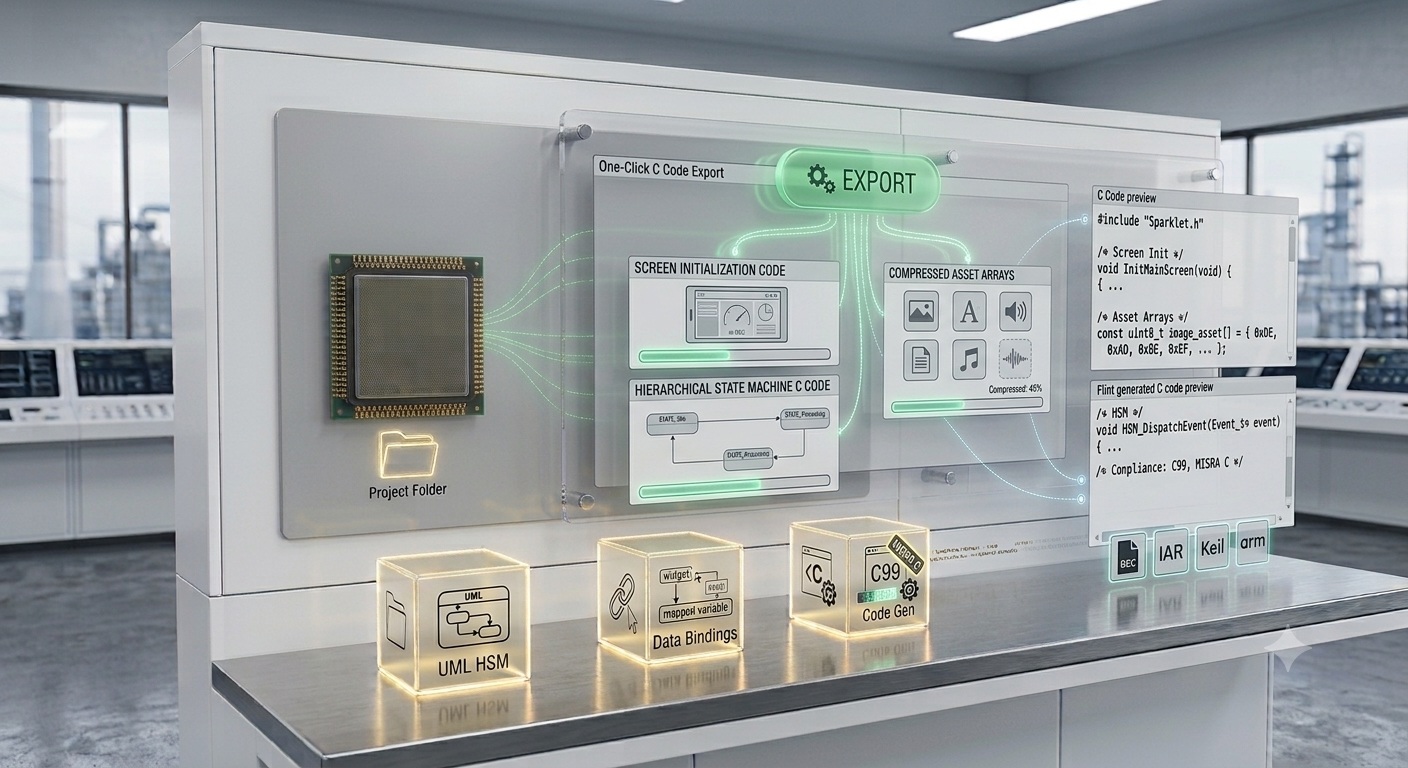
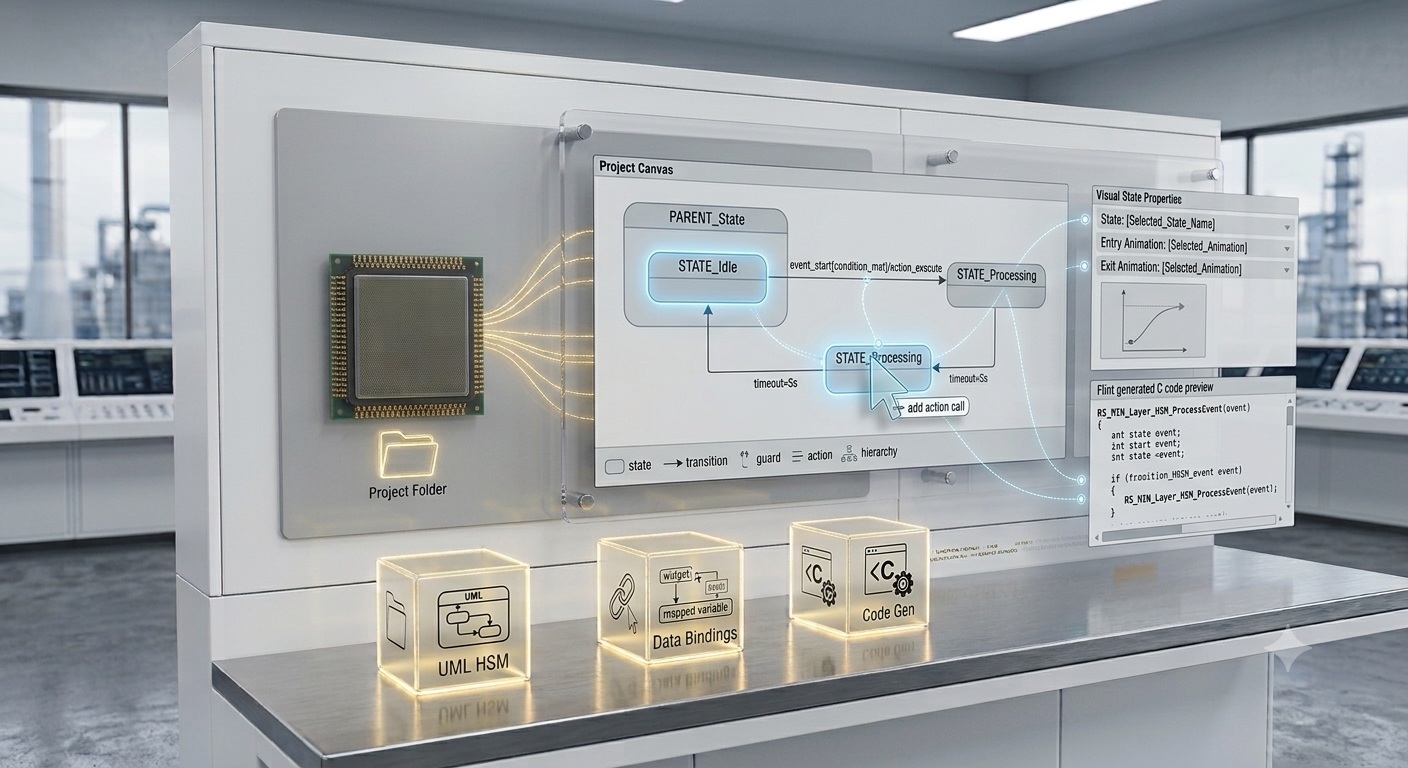
Flint UI Designer converts every screen, asset, and state machine into optimised, production-ready C code with a single click — no hand-coding of UI scaffolding required.
Embedded GUI C code generation is the process by which a visual GUI design tool — Flint UI Designer in Sparklet's case — automatically converts screen layouts, widget configurations, font tables, image assets, and state machine logic into compilable, platform-agnostic C source files ready to integrate directly into any embedded project. Flint produces three distinct output categories on every export: screen initialisation code, compressed asset code, and hierarchical state machine implementations. Each output follows the same MISRA C coding standards as the Sparklet library itself.
This means the generated code meets the same quality bar expected in safety-critical and production embedded systems — automotive, medical, industrial — without any manual quality enforcement by the developer. Hand-coding embedded GUI requires writing widget initialisation, layout calculations, asset array declarations, and state machine logic manually — typically thousands of lines for a non-trivial UI. Flint generates all of this automatically, consistently, and with zero risk of typos or formula errors in coordinate calculations.
This page explains each output category in detail, describes how the export pipeline works, and shows how to integrate Flint-generated code into your build system — whether Make, CMake, IAR Embedded Workbench, Keil MDK, or GCC.
Flint generates screen code, asset code, and state machine code — all in a single export operation.
For each screen designed in Flint, the exporter produces a dedicated C source file containing a widget initialisation function, layout parameters, and event handler stubs. Every function is named after its screen and event — for example, screen_main_on_btn_ok_pressed() — so the relationship between the visual design and the generated function is immediately clear.
Screen code is intentionally human-readable and well-structured. Variables follow predictable naming conventions derived from widget names assigned in Flint. Any embedded C developer can read, trace, and extend the generated files without needing to understand Flint internals. Event handler stubs are preserved across re-exports, so application logic written inside them is never overwritten.
screen_x_on_widget_y_event()
Fonts defined in the design are converted from TTF source files into pre-rendered bitmap glyph tables with optional RLE compression. Images (PNG, JPG, BMP) are converted into platform-optimised compressed C arrays ready for direct Flash storage. 3D mesh assets (.obj, .fbx) are compiled into the Sparklet 3D scene format. All asset arrays are declared as const data, placed in the correct Flash segment by your existing linker script.
Asset compression is handled automatically during export. Flint selects the best compression strategy per asset type and target display colour depth, minimising Flash consumption without any developer intervention. Fonts are subset-filtered: only the Unicode glyphs actually used in the design are included — a project using only ASCII characters does not pay the Flash cost of a full Unicode font file.

If a UML-based state machine is defined in Flint's State Machine Editor, the exporter produces a complete Hierarchical State Machine (HSM) implementation using Sparklet's RS_MIN layer. Event dispatch, state transitions, guard conditions, and entry/exit actions are all generated as readable C code with consistent naming and structure.
Guard condition stubs and action function stubs are generated as empty C functions. The developer implements the function body; Flint generates the call site and the state machine wiring — ensuring the visual diagram and the running code are always consistent. No third-party state machine library is needed; the RS_MIN HSM engine ships as part of Sparklet.

The most important characteristic of Flint-generated code is that it contains zero hardware calls. There are no direct register writes, no display controller commands, no DMA configuration, no RTOS-specific calls. All hardware interaction is routed through Sparklet's Hardware Abstraction Layer (HAL), which is written separately by the developer once per target board.
This means the identical Flint-generated C code compiles and runs on a Renesas RH850, an NXP i.MX RT1170, an STM32H7, an Infineon TRAVEO T2G, or the Windows x86 PC simulator — with only the HAL differing between targets. Platform portability is not a configuration option; it is a structural property of how the generated code is organised. The same Flint project can simultaneously target multiple hardware platforms with a single export. Visit the Supported Platforms page for the full list of toolchains verified with Sparklet.
Flint exports a standard C source tree: one directory for screen code, one for asset code, one for state machine code. This directory tree is added to your existing Makefile, CMakeLists.txt, IAR project, or Keil MDK project as a source path — no special export format, no custom IDE plugin, no proprietary build tool required. The export integrates with version control cleanly: each export produces deterministic output for unchanged inputs, so diffs contain only lines that reflect real design changes.
After the initial export, Flint tracks which screens and assets have changed since the last export. On subsequent exports, only modified screens and updated assets are regenerated. Unchanged files are left exactly as they were on disk — your compiler only recompiles what actually changed. Delta export also preserves manually written application logic: developers add application code inside event handler stubs, and Flint re-exports without touching those function bodies, provided developers follow the standard code organisation convention. The Animation Designer and State Machine Editor both contribute to the same export pipeline and support the same delta behaviour.
| Output File / Directory | Content | Consumed By |
|---|---|---|
| screens/screen_<name>.c/.h | Widget init function, layout constants, event handler stubs | Sparklet EXEC layer + application event handlers |
| assets/img_<name>.c | Colour-converted, compressed raster image array (const) | Sparklet GDI layer via widget ImageHolder / background |
| assets/font_<name>.c | Pre-rendered glyph bitmaps, kerning table, glyph index (const) | Sparklet font engine (GDI text rendering) |
| assets/mesh_<name>.c | 3D vertex/normal/UV data in Sparklet scene format (const) | Sparklet 3DWidget / 3DView renderer |
| strings/strings_<locale>.c | String tables per language — one array per locale | Sparklet runtime locale switch API |
| statemachine/sm_<name>.c/.h | Full HSM implementation using RS_MIN: states, events, guards, actions | Application event dispatch + Sparklet EXEC layer |
| animations/anim_<name>.c | Keyframe descriptor tables and sequence chains (const) | Sparklet animation execution engine |

Design once in Flint, export the entire project — screens, assets, and state machines — with a single menu action. No manual code assembly needed.

Generated C files use predictable naming conventions and clean structure. Any embedded C developer can read, trace, and extend them without Flint training.

Generated code follows the same MISRA C coding standards as the Sparklet library, making it suitable for automotive, medical, and industrial projects with compliance requirements.

Exported source trees integrate with Make, CMake, IAR Embedded Workbench, Keil MDK, and GCC-based toolchains without modification or special tooling.
Yes. Flint generates human-readable C with consistent naming conventions. Screen initialisation functions, widget identifiers, and event handler stubs all follow a predictable pattern tied directly to the visual design. A developer who inherits a project can read the generated code and understand the screen structure without ever opening Flint.
Download the free Sparklet evaluation — includes Flint UI Designer, platform binaries, and sample projects. Export your first screen in minutes.