Moving from LVGL to Sparklet is a structured, manageable process. This guide walks through every step — from design migration in Flint Designer to API mapping, platform layer swap, and build system changes — with realistic timelines and widget mapping reference.
Migrating from LVGL to Sparklet means replacing the LVGL library in an embedded application with Sparklet's framework, rebuilding UI screens using Sparklet's widget API and Flint UI Designer, and swapping LVGL's display and input driver layer for Sparklet's Hardware Abstraction Layer (HAL). The migration does not require changes to application business logic — sensor data, state management, communication protocols, and RTOS task structure remain unchanged. Only the UI rendering layer and screen definitions move.
Teams migrate from LVGL to Sparklet for three primary reasons: to achieve MISRA C compliance for regulated markets (automotive, medical, safety-critical industrial), to gain Flint Designer's no-code design productivity advantage (50–70% faster development), or to access professional engineering support with a defined SLA. See the LVGL alternative page for full context, and Sparklet vs LVGL for a side-by-side breakdown.
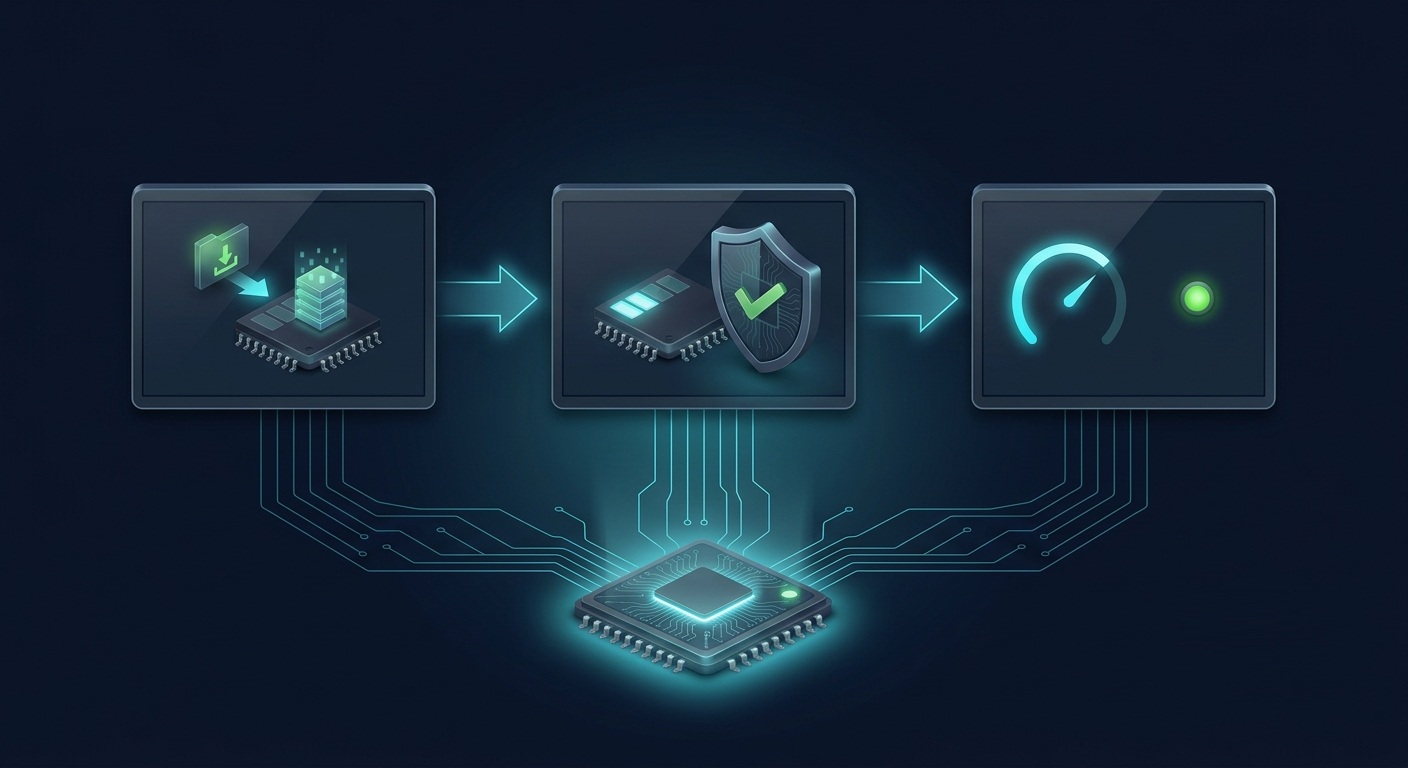
The four migration phases are: Phase 1 — design migration in Flint Designer; Phase 2 — API migration mapping LVGL calls to Sparklet equivalents; Phase 3 — platform layer swap replacing LVGL drivers with Sparklet HAL; Phase 4 — build system update and PC simulator validation. Each phase is independent and can be validated before the next begins.

The most efficient approach to LVGL screen migration is visual recreation in Flint Designer rather than line-by-line code porting. Open your LVGL application on a simulator or take screenshots of each screen. Recreate each screen using Flint's widget palette — set dimensions, colours, fonts, and content to match the LVGL original. Add transitions using the animation timeline. Connect data bindings for dynamic content. Wire event callbacks through Flint's UML state machine editor rather than handwriting handler chains. Export C code. For a typical 8–12 screen embedded HMI, this process takes one to three days per engineer — and produces a sustainable, version-controllable Flint project file as a deliverable.

For UI logic written directly in C — event handlers, dynamic widget updates, data-driven display changes — map LVGL API calls to Sparklet equivalents. The widget taxonomy is similar: both frameworks have the same conceptual widget types (buttons, labels, images, charts, meters, sliders) with different naming conventions. Both use an event-driven model where widget interactions fire callback functions. An experienced engineer can map a typical LVGL screen's event handler code to Sparklet in a few hours per screen. Use the widget mapping table below for a direct reference between lv_* function families and Sparklet equivalents.
Remove lv_disp_drv_t and lv_indev_drv_t registrations from your LVGL port. Implement Sparklet's HAL display interface — typically a single framebuffer flush function plus an optional dirty-region partial refresh callback. Implement Sparklet's input interface — touch X/Y coordinates and event type sampled by Sparklet's execution engine on each tick. Both LVGL and Sparklet use an analogous architecture for this layer: a flush function and an input read function. If migrating on the same hardware, this step takes half a day to a day. If simultaneously changing silicon, this is where the platform-specific porting work is concentrated — and Embien can provide HAL bring-up support.

Replace LVGL's Makefile, CMakeLists.txt, or STM32CubeMX-generated build includes with Sparklet's build configuration for your target platform. Before running on target hardware, validate the migrated UI on the Sparklet Windows PC simulator — the same Sparklet library compiled for Windows. This catches the vast majority of rendering issues, event handling logic bugs, and data binding problems without requiring hardware access, dramatically accelerating iteration speed. When the PC simulator passes, cross-compile for target and perform final hardware validation, focusing on frame rate, touch responsiveness, and hardware acceleration paths.
| LVGL Widget / API | Sparklet Equivalent | Notes |
|---|---|---|
| lv_btn | Button (BTN) | Push, Toggle, Radio sub-types available |
| lv_checkbox | CheckBox (CHK) | Direct functional equivalent |
| lv_slider | Slider (SLD) | Horizontal and vertical support |
| lv_arc | RotaryKnob (RKN) | Arc + rotary knob control |
| lv_label | Static (STC) | For static text display labels |
| lv_textarea | TextArea (TXA) | Multi-line text display |
| lv_img | ImageHolder (IMH) | PNG/JPEG/BMP support |
| lv_chart | Graph (GRP) | Line and Bar chart support |
| lv_meter | Meter (MTR) | Gauge and arc meter variants |
| lv_bar | ProgressBar (PBR) | Horizontal and vertical orientation |
| lv_list | ListView (LVW) | Scrollable list widget |
| lv_dropdown | ComboBox (CMB) | Dropdown selection widget |
| lv_tabview | Tab (TAB) | Tabbed container |
| lv_scroll | ScrollView (SCV) | Scrollable container widget |
| lv_msgbox | MsgBox (MBX) | Modal message dialog |
| lv_spinbox | StepInput (STP) | Numeric step input widget |
| lv_roller | WheelPicker (WHP) | Scrolling value wheel with inertia |
| lv_keyboard | Keyboard (KBD) | Onscreen keyboard widget |
What changes, what stays the same, and what timeline to plan for — in three clear sections.
The migration replaces exactly one layer of your embedded firmware: the GUI rendering library and the screen definition code. Everything else in your application stack remains unchanged — no RTOS reconfiguration, no peripheral driver rewrites, no communication stack changes.
The business logic separation that good embedded architecture enforces — where the GUI layer calls application APIs for data, and the application layer calls GUI APIs to update display values — means migration is a GUI-layer-only exercise. If your LVGL project mixed business logic and GUI rendering code heavily, the migration is an opportunity to refactor this architecture at the same time.

LVGL and Sparklet share the same foundational design patterns for embedded GUI development. Moving from one to the other is a naming convention and function signature change — not a conceptual model change. Engineers with LVGL experience consistently report that the Sparklet learning curve is measured in days, not weeks.
The most transformative change for most teams is gaining the Flint Designer workflow — moving from code-only UI development to visual design with generated C output. Teams consistently report this as the most impactful productivity improvement, independent of the technical migration work itself.

Migration timeline depends primarily on screen count, animation depth, number of data bindings, and whether a simultaneous silicon change is involved. These estimates assume an engineer with LVGL experience who is new to Sparklet.
Contact Embien services for a scoped migration estimate specific to your screen count, platform, and schedule constraints.


Full MISRA C compliance from day one of Sparklet deployment — no remediation work, no formal exclusion documentation required. Eligible for automotive (ISO 26262), medical (IEC 62304), and safety-critical industrial (IEC 61508) certification stacks.

All future UI work happens in Flint Designer — visual drag-and-drop, UML state machines, animation timelines, Figma import. Engineers report 50–70% faster embedded GUI development after switching from LVGL's code-only workflow.

Access to the Embien engineering team — the framework authors — for integration questions, performance optimisation, and platform bring-up. Defined SLA commitments, not community-forum best-effort timing.

Royalty-free licensing scales from prototype to mass production. Ship any volume on any supported platform with zero per-unit fees. One predictable developer seat cost at project start, permanently zero incremental cost per unit shipped.
Migration from LVGL to Sparklet follows four phases: (1) Design migration — recreate LVGL screens visually in Flint UI Designer rather than porting LVGL C code line-by-line, which is typically faster and yields a maintainable design file as output. (2) API migration — map LVGL widget function calls to Sparklet equivalents; both frameworks have the same conceptual widget types with different naming conventions. (3) Platform layer swap — replace LVGL's lv_disp_drv_t and lv_indev_drv_t with Sparklet's HAL flush function and input interface; the architecture is analogous. (4) Build system update — replace LVGL's Makefile or CMake includes with Sparklet's build configuration. Validate on the Windows PC simulator before testing on target hardware.
Request the free evaluation package — Flint UI Designer plus Windows PC simulator binary — and start rebuilding your first LVGL screen in Flint today. Or contact our migration services team for expert-guided porting support with defined timelines.