
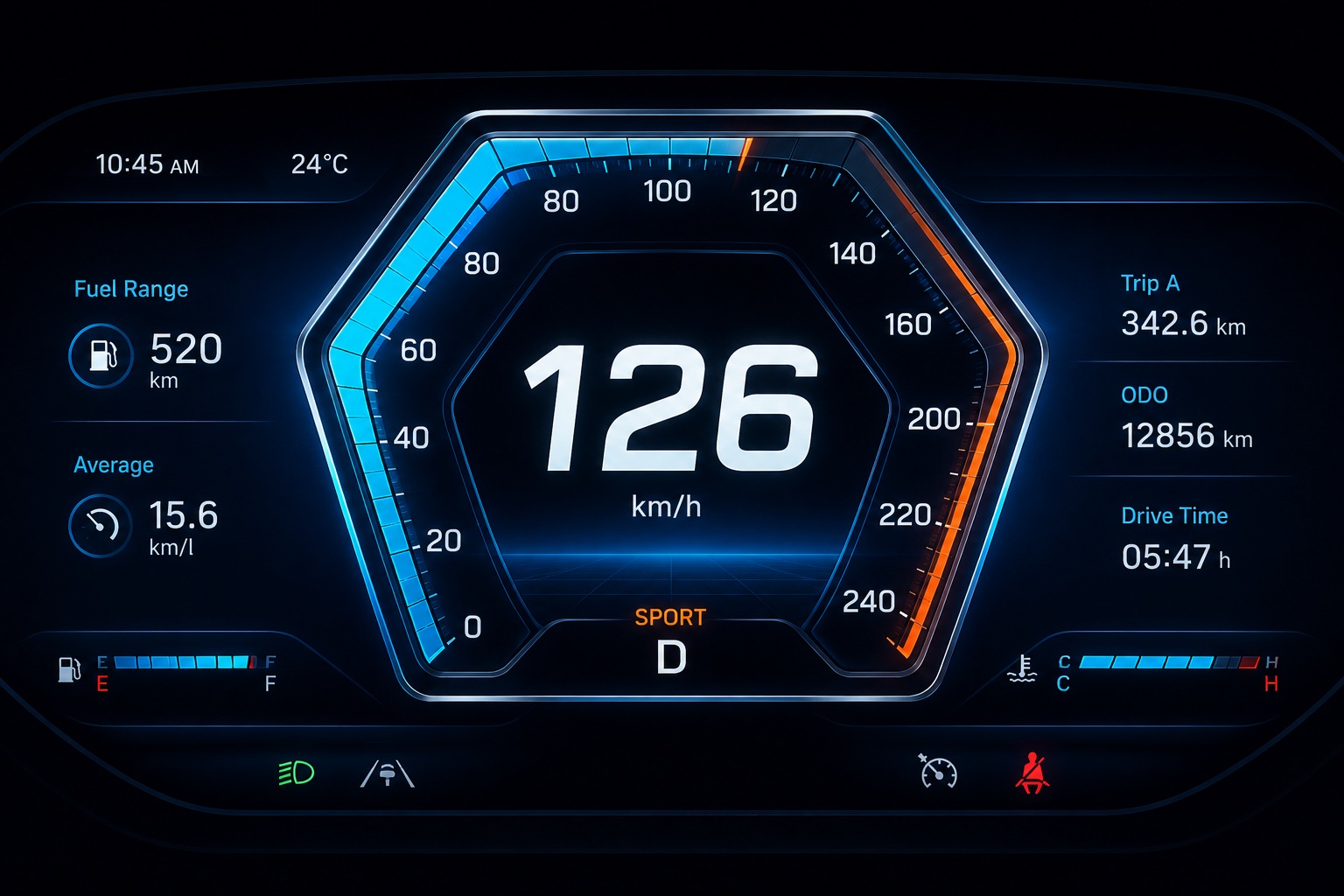
Modern embedded user interfaces are no longer limited to static screens and predefined widgets. Today’s embedded systems demand visually rich interfaces, dynamic graphics, custom animations, and highly interactive visual components that align with unique product requirements. Whether it is an automotive instrument cluster, industrial HMI, medical device, or infotainment system, developers often need more control over how graphical elements are rendered on the screen.
While standard UI widgets are sufficient for many applications, certain use cases require completely customized rendering behavior. This is where the Custom Draw Layer feature in Sparklet becomes extremely valuable.
Custom Draw Layers allow developers to implement their own drawing logic for rendering graphical elements, providing fine-grained control over the visual appearance and behavior of UI components. Instead of relying only on predefined rendering styles, developers can program custom rendering routines to create unique visual effects, advanced graphics, and specialized UI components tailored to their application needs.
In this article, we explore how Custom Draw Layers work in Sparklet, why they are important in embedded UI development, and how they can be used to build highly customized graphical interfaces.
Why Custom Rendering Matters in Embedded UI
Embedded interfaces are becoming increasingly sophisticated. Modern users expect visually polished interfaces similar to mobile devices and high-end automotive displays. At the same time, embedded systems often have specialized UI requirements that standard widgets may not fully support. For example:
- Automotive clusters may require custom radial gauges
- Medical devices may need waveform visualizations
- Industrial HMIs may use animated process indicators
- Smart appliances may require branded UI effects
In these scenarios, predefined widget styles may not provide sufficient flexibility. Developers may need precise control over:
- Shape rendering
- Dynamic drawing behavior
- Custom animations
- Specialized gauge designs
- Unique graphical overlays
Custom Draw Layers solve this challenge by enabling application-specific rendering directly within the UI framework.
What is a Custom Draw Layer?
A Custom Draw Layer is a rendering layer that allows developers to use their own drawing logic to generate graphical content. Instead of using standard rendering provided by default widget layers, the drawing process is handled through custom programming.
In Sparklet, the Custom Draw Layer follows an application-driven rendering approach that gives developers greater control over how graphical elements are rendered during runtime.
A widget or container contains a dedicated custom drawing area. Whenever Sparklet renders that widget, the rendering flow is delegated to the user application through a callback mechanism.
The rendering workflow typically follows these steps:
- Sparklet triggers a callback to the user application during widget rendering.
- The user application performs the required drawing operations or rendering logic.
- Sparklet then renders the generated graphical output on the display.
This approach enables developers to dynamically render graphical assets, runtime-controlled visual elements, and application-specific UI components while still integrating seamlessly with Flint UI Designer.
This approach is particularly useful for applications that require highly customized graphics or dynamic visual behavior.
How Custom Draw Layers Work in Sparklet
The Custom Draw Layer delegates rendering control to application-level logic during runtime. Developers can use resource or image IDs defined in Sparklet UI Designer and render graphical assets dynamically through Sparklet APIs based on application states, sensor values, or runtime events.
This mechanism is particularly useful for implementing:
- Custom gauges
- Dynamic UI overlays
- Runtime image rendering
- Specialized visualization components
- Non-standard graphical widgets
Advanced Use Cases of Custom Draw Layers
Beyond gauges, Custom Draw Layers support many advanced embedded UI scenarios.
Dynamic Visualizations
Industrial systems often require process visualization, heat maps, or animated data representations. Custom rendering makes these visualizations possible without requiring dedicated widgets.
Real-Time Graphs and Waveforms
Medical and industrial devices frequently display ECG signals, sensor graphs, or oscilloscopes. These continuously updating visuals can be rendered efficiently using custom drawing logic.
Branded UI Effects
Consumer devices increasingly rely on unique visual branding. Custom Draw Layers allow companies to create signature animations, transitions, and graphical styles that differentiate their products.
Gaming-Style UI Effects
Modern infotainment systems and high-end dashboards use glowing effects, animated particles, and futuristic overlays. Custom rendering enables these advanced graphics within embedded constraints.
Benefits of Using Custom Draw Layers
The biggest advantage of Custom Draw Layers is flexibility. Developers are no longer restricted to standard widget rendering and can build application-specific visuals tailored to their exact requirements.
Another major advantage is scalability. Instead of creating multiple static assets for every variation, graphics can be generated dynamically at runtime.
Custom rendering also improves maintainability by centralizing drawing logic within reusable rendering functions.
Additionally, because the feature integrates directly into Sparklet runtime, developers can combine custom graphics with existing widgets, animations, and state machines for a unified UI architecture.
Best Practices for Custom Rendering
While Custom Draw Layers provide extensive flexibility, good rendering practices remain important.
Developers should optimize drawing logic carefully to ensure smooth performance on embedded hardware. Excessive rendering operations or unnecessary redraws may impact responsiveness on resource-constrained systems.
It is also recommended to separate rendering logic from application business logic wherever possible. This improves maintainability and simplifies debugging.
Consistent styling is equally important. Even highly customized graphics should align with the overall visual language of the interface.
Conclusion
As embedded UI expectations continue to evolve, developers increasingly require more control over graphical rendering and visual behavior. Standard widgets alone are often insufficient for creating modern, differentiated interfaces.
The Custom Draw Layer feature in Sparklet provides the flexibility needed to build advanced embedded graphics using application-defined rendering logic. From custom shape gauges and real-time visualizations to branded UI effects and animated graphics, Custom Draw Layers enable developers to create rich and highly interactive embedded experiences.
By combining visual design capabilities from Flint UI Designer with the rendering flexibility of Sparklet runtime, developers can build scalable, dynamic, and visually compelling embedded interfaces tailored to their product requirements.
https://sparkletui.com/documentation/flint-ui-designer/widgets/widget_layer.html