ADAS Embedded Display GUI — Camera Feeds, Overlays, and Safety Warnings

Render live camera feeds, object-detection overlays, proximity warnings, and lane-departure alerts on a single embedded display — with hardware-accelerated composition and MISRA C compliance. Sparklet delivers the low-latency, multi-layer ADAS display stack your safety system requires.

What is an ADAS Embedded Display GUI?

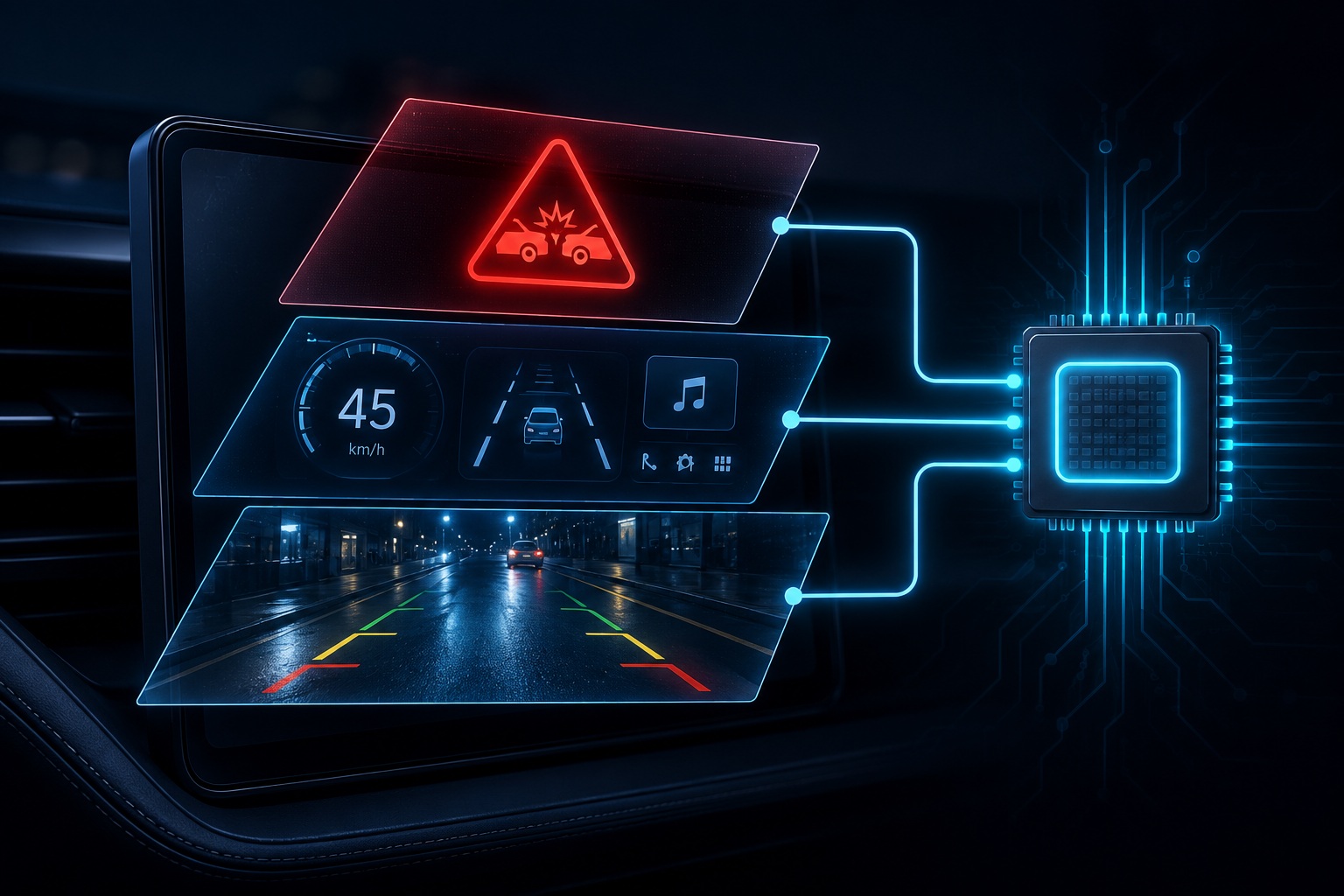
An ADAS embedded display GUI is the software layer that renders Advanced Driver Assistance System information directly on a vehicle display — compositing live camera feeds from rear-view, front-facing, or surround-view cameras with graphical overlays that communicate object proximity, lane position, collision risk, and parking distance to the driver in real time. Unlike a conventional HMI that renders static icons and dynamic text, an ADAS display must overlay vector graphics onto a live decoded video frame at 30 fps or higher, with end-to-end latency from camera capture to display under 50 ms.

Sparklet provides the hardware-accelerated compositing pipeline that makes this possible on automotive-grade MCUs and MPUs. Its multi-layer rendering engine treats the camera feed and the GUI overlay as independent hardware layers composited by the GPU or 2D accelerator — keeping the CPU free for object-detection logic and CAN data processing. Explore the full automotive HMI demo gallery to see camera-integrated cluster and ADAS demos running on real hardware.

ADAS Display Pipeline Capabilities

Camera Overlay Pipeline

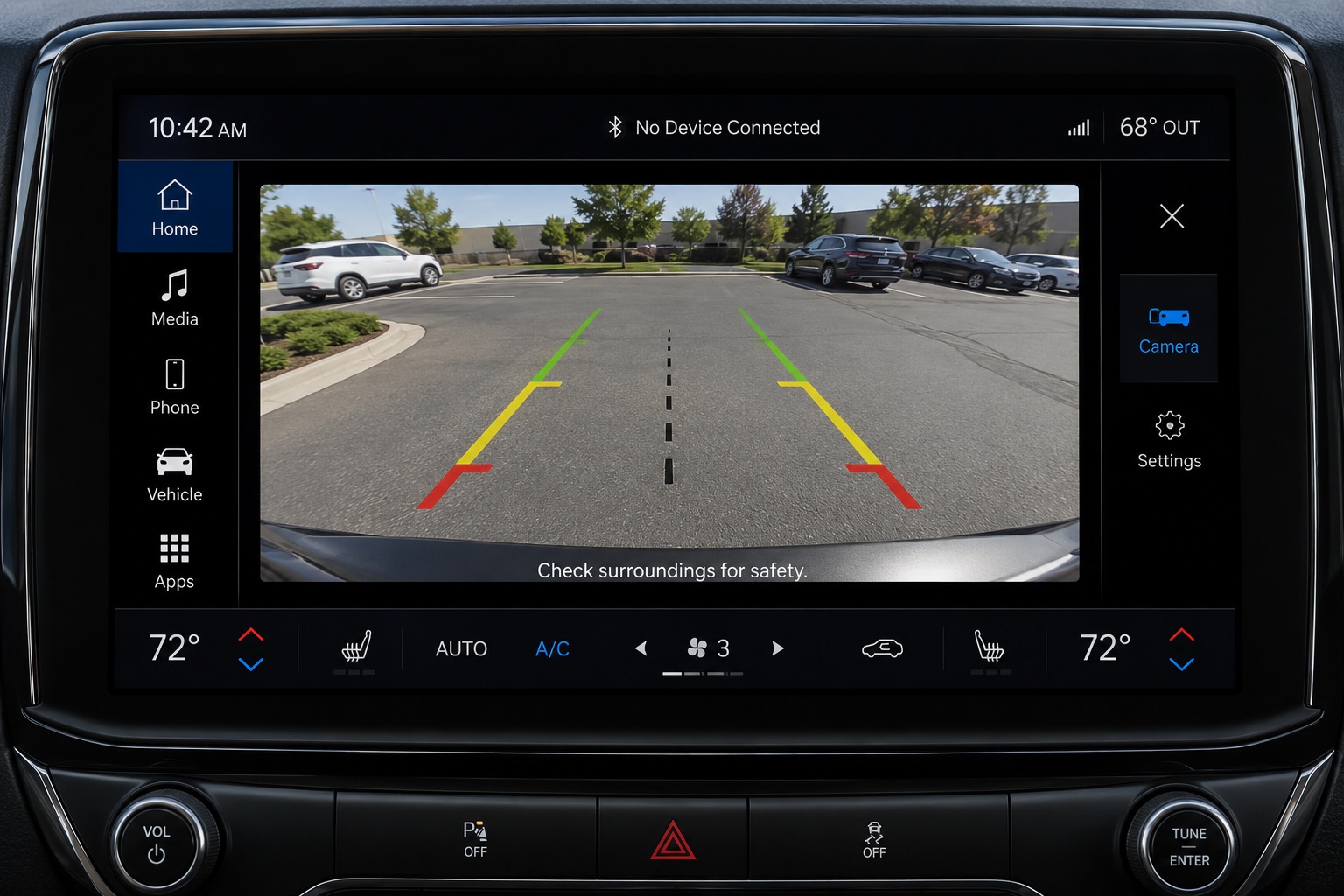
Sparklet accepts a decoded camera frame buffer from the platform ISP and assigns it to a dedicated hardware rendering layer. On NXP i.MX 8 with Vivante GPU and on Renesas RA8D1 with Mali-Limav, compositing is performed entirely in hardware — zero CPU involvement in the pixel blend. Parking guidelines, proximity warning bars, object detection bounding boxes, and lane departure indicators are rendered as vector elements in the overlay layer, updated at 60 fps even when the camera feed runs at 30 fps. The overlay layer is configured in Flint UI Designer and exported as standard C code.
MISRA C Compliance and ISO 26262 Alignment

ISO 26262 programs classify the display stack as a software component under the safety architecture. Every line of Sparklet source code is written to MISRA C guidelines throughout. The GUI library can be included in an ISO 26262 software component review as a QM or ASIL-decomposed component without introducing MISRA deviations that require waivers. This is a significant audit benefit on safety-critical ADAS display programs — the library does not become an exception in an otherwise compliant codebase.

Sparklet's Dialog and MsgBox widgets provide a top-layer rendering mechanism for safety-critical warning display. When a collision warning or emergency braking alert is triggered, the warning element is placed on the topmost render layer and rendered with priority over all other display content — ensuring safety-critical information is always visible regardless of the current screen state. This priority mechanism operates within Sparklet's normal render cycle without requiring a separate rendering thread or OS-level priority inversion.

The Renesas RH850 (with D/AVE2D 2D accelerator) supports camera-integrated cluster displays with rear-view overlay — a configuration Embien has shipped in production. The Renesas RA8D1 (Mali-Limav GPU) extends this to surround-view capability with hardware-accelerated 3D projection. Platform details are available on the Renesas platform page and the NXP platform page.

ADAS Display Requirements vs. Sparklet Capabilities

ADAS RequirementThresholdSparklet Capability
Camera-to-Display Latency< 50 msSub-50 ms with HW layer; < 16 ms compositing step
Camera Feed IntegrationYUV / RGB frame bufferHardware layer; no software pixel copy; ISP-direct
Overlay Vector Rendering60 fps independent of cameraSeparate GPU layer; overlay at 60 fps / camera at 30 fps
Safety Warning PriorityImmediate top-layer renderDialog/MsgBox on topmost layer; priority in render cycle
Surround-View 3D Projection4-camera bowl projection3DView widget on i.MX 8 / RA8D1; frame-synchronous
MISRA C ComplianceRequired for ISO 26262Full MISRA C source; no deviations or waivers
Multi-Camera Sources4+ camera feed instancesMultiple concurrent camera layer instances supported
Multi-Display OutputCluster + ADAS panelIndependent pipelines on i.MX 8 multi-display configs

Four ADAS Display Capabilities Built Into Sparklet

Hardware acceleration, live camera compositing, and MISRA C compliance — built in from the ground up.
Camera Overlay

Live Camera Feed Integration

Camera frames assigned to dedicated hardware rendering layers — no software pixel copy, no CPU involvement, and frame-synchronous composition with vector overlays.

Low Latency

Sub-50 ms Overlay Latency

Hardware compositing on i.MX 8 Vivante GPU and RA8D1 Mali GPU keeps object-detection annotations accurately aligned with moving objects at speed.

Safety Warning

Priority Safety Warning Rendering

Collision and braking warnings are placed on the topmost render layer and rendered with priority — always visible regardless of current screen state or active overlay.

MISRA Compliant

MISRA C for ISO 26262 Programs

Full MISRA C source enables clean integration into ISO 26262 software component reviews without waivers or deviations — reducing safety audit effort on every ADAS display program.

FAQs: ADAS Embedded Display GUI

Sparklet accepts a decoded camera frame buffer from the platform ISP and assigns it to a hardware rendering layer. On platforms with a hardware compositor (NXP i.MX 8 Vivante GPU, Renesas RA8D1 Mali GPU), the camera layer and the GUI overlay layer are composited in hardware — no software pixel blending, no CPU overhead. The camera feed appears as a background or composited layer with vector overlay elements (parking lines, warning boxes) drawn on top in the same render pass.

Build Your ADAS Display System with Sparklet

Evaluate Sparklet on NXP i.MX 8 or Renesas RA8D1 with the ADAS camera overlay demo project. See live camera compositing and warning overlay rendering on real hardware within a day.