
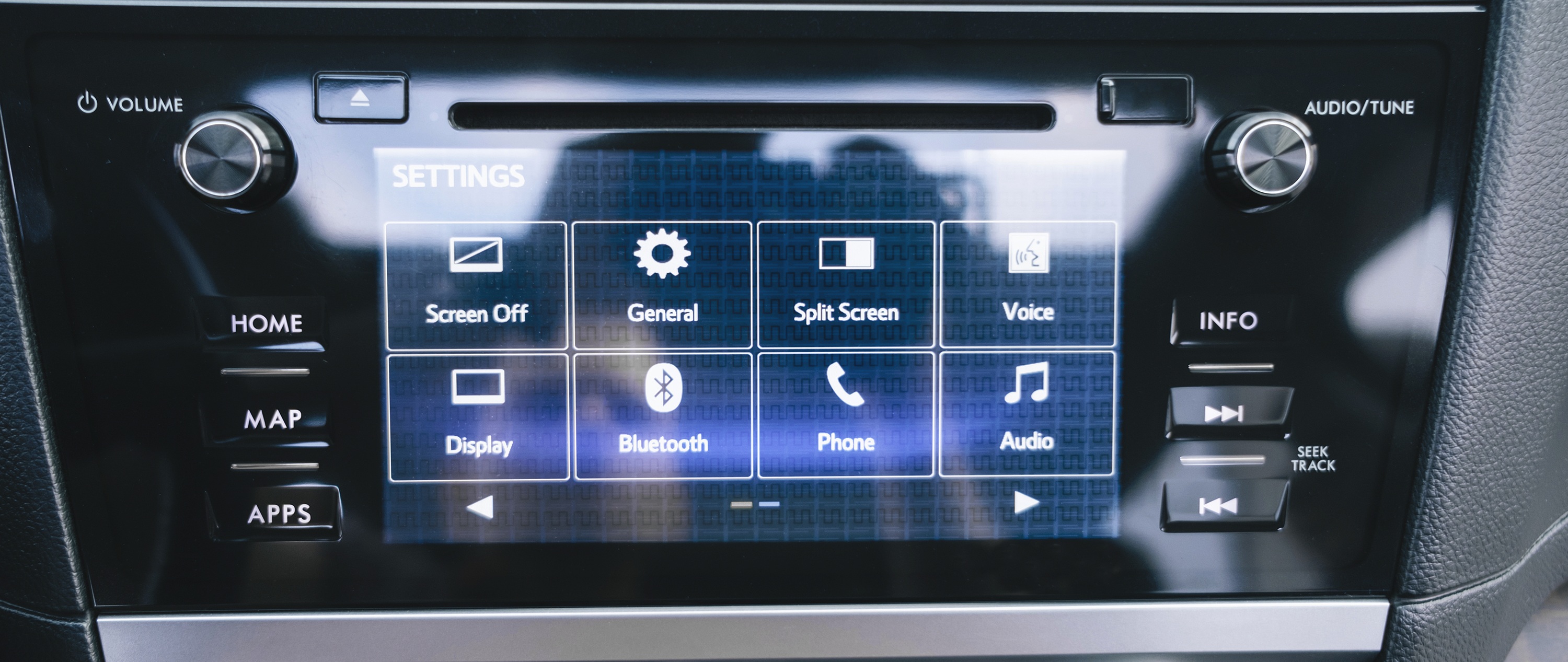
In the evolving world of embedded interfaces, organizing information effectively is just as critical as displaying it. Whether it’s product thumbnails, data tiles, control icons, or status summaries—presenting multiple items in a structured, user-friendly format is key to ensuring both clarity and usability. Enter the Grid View: a powerful user interface pattern that arranges content into rows and columns for easy access, visibility, and interaction.
This article explores the role of grid views in modern UI design, showcases typical embedded system use cases, and dives deep into the capabilities of the Sparklet GridView Widget—a customizable, lightweight, and resource-efficient solution for item organization. Ideal for embedded platforms, Sparklet empowers developers to create responsive, elegant UIs without sacrificing performance.
The Role of Grid Views in Embedded UI Design
A Grid View is a layout structure that displays UI elements in a matrix of rows and columns. Each cell typically contains an item—be it a text label, image, button, or a composite widget. Grid views are particularly helpful in managing and presenting:
- Large sets of related items
- Icon-based menus or dashboards
- Thumbnail images
- Control options
- Sensor data summaries
This layout promotes quick scanning, touch-based selection, and flexible arrangement—essential features for any modern embedded UI.
Key benefits include:
- Efficient Use of Space: Makes full use of screen real estate.
- Predictable Navigation: Supports row-column interactions via touch or D-pad.
- Scalability: Suitable for both a handful or hundreds of items.
- Flexibility: Adapts well to dynamic data and user interaction.
Common Use Cases of Grid Views in Embedded Systems
The Grid View widget is widely applied across industries, offering structured layouts that make interaction faster and more intuitive.
- Smart Appliances: In smart appliances, it can be used to neatly display food categories in a smart oven or arrange washing programs in a machine, helping users quickly choose the right option.
- Medical Devices: For medical devices, grid views simplify monitoring by presenting patient parameters across wards and grouping diagnostic readings or tools in a clear, organized manner.
- Industrial Panels: In industrial panels, they allow operators to track multiple machines or sensors simultaneously, while also providing an efficient way to review alarm logs and maintenance statuses.
- Consumer Electronics: Within consumer electronics, grid layouts are ideal for smart TV app launchers and photo or media galleries, ensuring smooth navigation and easy access to content.
- Automotive Displays: In automotive displays, they enable quick access to cluster controls for climate, infotainment, and settings, while also serving as a visual grid for diagnostic states.
- Retail & POS Systems: For retail and POS systems, grid views enhance customer experience by showcasing products in catalog form and supporting inventory checks with item visuals and counts.
In all these scenarios, a well-structured grid view enhances clarity and accelerates user decision-making.
Sparklet GridView Widget: Structure Meets Flexibility
The Sparklet GridView Widget is a powerful layout engine optimized for embedded platforms. Designed to be lightweight yet feature-rich, it allows developers to organize, customize, and animate item grids with ease—even on low-memory systems.
Dynamic Grid Sizing and Layout Control
Grid dimensions are not fixed in Sparklet—you decide the shape, size, and arrangement:
- Define Row/Column Count: Specify exact grid configuration or let it auto-adjust.
- Adaptive Item Sizing: Items resize to match available space or retain fixed dimensions.
- Custom Spacing: Configure margins, padding, and inter-item spacing.
- Flexible Orientation: Vertical, horizontal, or wrap-around scrolling supported.
Whether you're displaying 4 icons or 400, Sparklet ensures optimal layout without clutter.
Item Customization and Interaction
Each item in the grid can be a standalone widget or a composite view:
- Image-based tiles: Show icons, product photos, or status indicators.
- Interactive cells: Embed checkboxes, buttons, or sliders inside grid items.
- Data-driven updates: Reflect dynamic changes based on sensor data or backend updates.
With full event mapping, each cell can respond to clicks, touches, hovers, and selections—enabling rich interactivity.
Theming and Styling Flexibility
To ensure visual harmony across your application, the GridView widget supports advanced theming features:
- Custom Themes: Apply color palettes, fonts, and styles that match your brand.
- Light/Dark Modes: Switch between themes dynamically at runtime.
- State-based Styling: Change item appearance on hover, selection, or error.
Sparklet’s theme engine is highly memory-efficient, yet offers the polish of consumer-grade UI designs.
Smooth Scrolling and Pagination Support
GridView offers native support for both:
- Scroll Views: Scroll through large item collections seamlessly.
- Pagination Dots or Arrows: Navigate through pages for non-scrollable designs.
- Animated Transitions: Enhance UX with smooth movement and screen feedback.
This ensures the widget is usable on touchscreens, remote-control UIs, or hardware button interfaces.
Designed for Embedded Systems
Unlike generic UI libraries that are bloated or GPU-heavy, Sparklet GridView Widget is optimized for embedded environments:
- Minimal RAM/ROM Usage: Lightweight implementation that fits even on MCUs with <256KB RAM.
- Incremental Rendering: Redraw only what's necessary—saving CPU cycles.
- Display Agnostic: Works across resistive/capacitive touch, LCD, OLED, and e-paper displays.
- No GPU Dependency: Efficient CPU rendering that doesn’t require hardware acceleration.
These characteristics make it suitable for both high-end embedded Linux systems and bare-metal microcontroller platforms.
Easy Integration with Business Logic
Sparklet provides a clean and simple way to bind the GridView with your application logic:
- Data Binding: Map data arrays or item lists directly to grid cells.
- Event Callbacks: Trigger actions on item selection, scroll end, or long press.
- Dynamic Updates: Add/remove/refresh grid items at runtime without rebuilding the UI.
All of this can be managed with minimal code and no performance overhead—enabling developers to focus on features rather than plumbing.
Developer Tools & Ecosystem
The Sparklet ecosystem includes everything an embedded developer needs to build, preview, and deploy fast:
- Simulation Tools: Preview grid layouts and data bindings in development mode.
- Extensive Documentation: Code samples, API references, and design patterns.
- Prebuilt Templates: Common layouts for dashboards, catalogs, icon menus.
- Modular Integration: Works seamlessly with Sparklet’s other widgets like ListViews, Panels, or DotNavigators.
All of this ensures your UI development process remains streamlined and predictable.
Why Sparklet GridView is the Ideal Choice for Embedded UI Developers
When developing UI for embedded systems, developers face a trade-off between visual richness and system performance. Sparklet eliminates this compromise with its powerful, compact, and modular design. The GridView Widget is a perfect example—enabling elegant item organization with responsiveness, flexibility, and ease of integration.
With Sparklet, you can:
- Achieve pixel-perfect grid layouts on any screen size.
- Create interactive, data-driven grids that scale with complexity.
- Deliver consumer-grade UX on embedded hardware.
Whether your target is an industrial HMI, consumer product dashboard, or automotive infotainment screen, Sparklet GridView helps you build clean, organized interfaces quickly and efficiently.
Final Thoughts and Call to Action
Grid views are essential for any UI that deals with multiple items, options, or categories. With the Sparklet GridView Widget, embedded developers can unlock the power of structured item layout without worrying about performance, complexity, or device limitations. Sparklet brings beauty, efficiency, and simplicity to embedded UI design—and the GridView widget is the perfect tool to help you organize content like never before.
Get started today!
Explore the Sparklet Widget documentation for integration tips, visual demos, and best practices to implement stunning UIs on embedded platforms.