
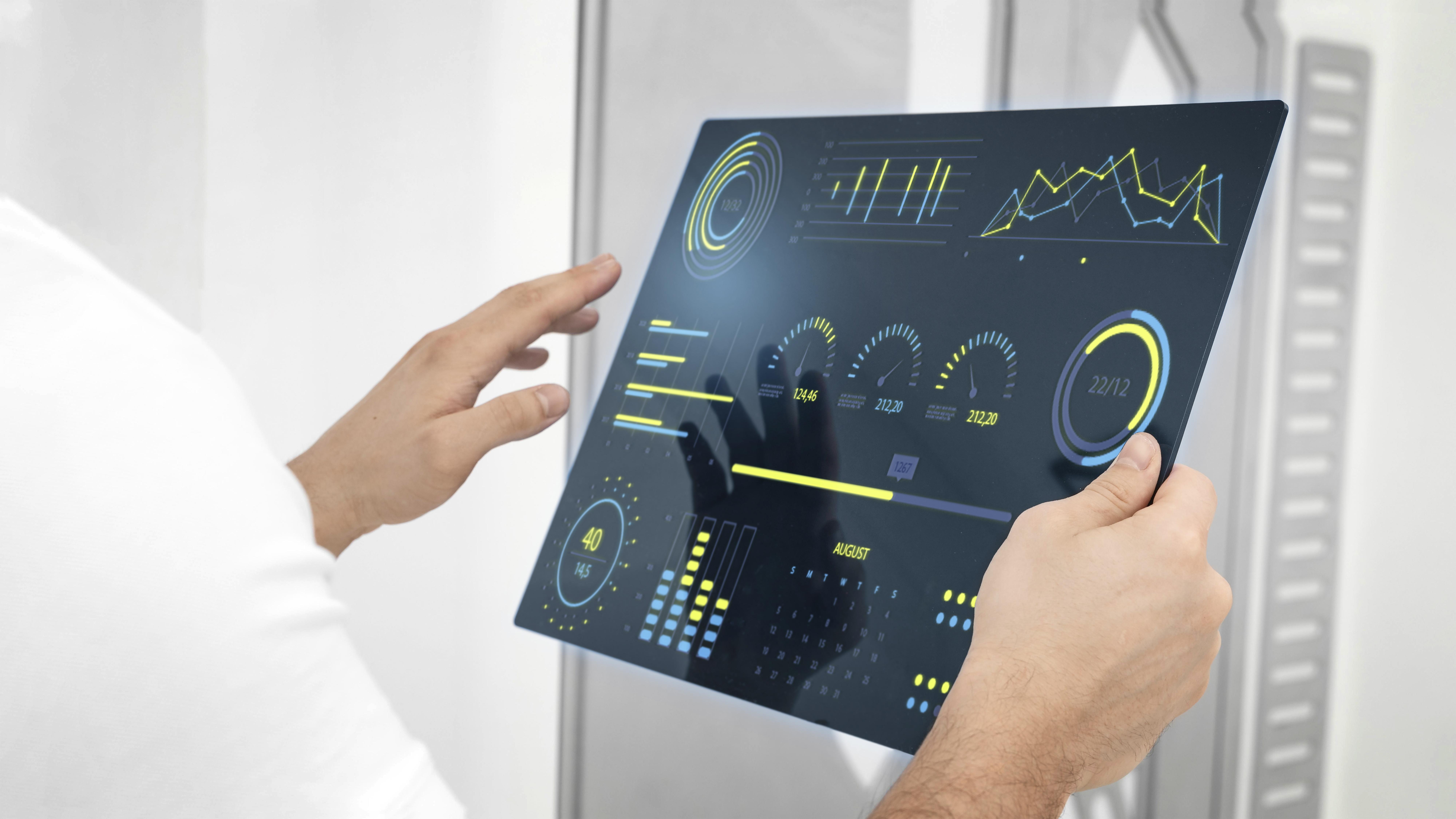
In today's digitally driven world, the user interface (UI) is the face of your product. For embedded systems, a well-designed UI is no longer a luxury—it's a necessity. Modern users expect intuitive, informative, and visually appealing interfaces, whether they're operating industrial machinery, monitoring a medical device, or adjusting their smart home thermostat. At the heart of many of these advanced UIs is the ability to present complex data in a simple, digestible format. This is where the power of data visualization, particularly through graph UI elements, comes into play.
A graph is more than just a decorative element; it's a powerful tool for communication. It can instantly convey trends, patterns, and critical status updates that would be lost in a sea of text or numbers. For embedded systems that generate vast amounts of real-time data, an effective graph can be the difference between a user who is informed and in control, and one who is confused and overwhelmed.
The Role of Graph Widgets in Modern Embedded UIs
The primary role of a graph widget is to provide a visual representation of data, making it easier for users to understand and act upon. This is crucial in a variety of embedded applications:
- Industrial Automation: A line graph can display machine temperature over time, allowing an operator to spot overheating trends and perform preventative maintenance. A bar graph could compare the output of different production lines at a glance.
- Medical Devices: In a patient monitoring system, an ECG graph provides a real-time view of a patient's heart activity, a critical piece of information for healthcare professionals.
- Automotive: Modern digital cockpits use graphs to display fuel efficiency, battery charge levels in electric vehicles, and engine performance data.
- Consumer Electronics: A smart thermostat might use a graph to show energy consumption patterns, helping users make more informed decisions about their energy usage.
Types of Graphs and Their Use Cases
Different types of graphs are suited for different types of data and communication goals. Some of the most common types used in embedded UIs include:
- Line Graph: Ideal for showing trends over a continuous period. This is perfect for displaying sensor data, stock prices, or any other time-series data.
- X-Y Plot (Scatter Graph): Used to show the relationship between two variables. For example, in a scientific instrument, an X-Y plot could visualize the relationship between pressure and temperature.
- Bar Graph: Excellent for comparing discrete categories of data. A bar graph could be used to compare the performance of different system components or to display the distribution of alarms by type.
- Pie Chart: Best used to show the composition of a whole. For instance, a pie chart could represent the percentage of different tasks being handled by a processor.
While each of these graph types has its strengths, their effectiveness ultimately depends on the quality of the GUI widget used to render them. This is where the Sparklet embedded graphics library shines.
Introducing the Sparklet Graph Widget
At Embien Technologies, we understand the unique challenges of embedded UI development. You need powerful, flexible tools that don't compromise the performance of your resource-constrained system. That's why we developed Sparklet, a comprehensive embedded graphics library, and its highly versatile Sparklet graph Widget.
The Sparklet graph Widget is not just another charting tool; it's a complete solution for data visualization in embedded UIs. It's designed from the ground up to be highly customizable, incredibly efficient, and easy to integrate, making it the perfect choice for your next embedded project.
Unmatched Customizability
We believe that your UI should reflect your brand and the unique needs of your application. The Sparklet graph Widget offers an extensive set of customization options, allowing you to control every aspect of your graphs' appearance and behavior:
- Axes and Grids: Customize the X and Y axes with labels, tick marks, and grid lines. You have full control over colors, fonts, and spacing.
- Data Series: Display multiple data series on a single graph, each with its own unique color, line style (solid, dashed, dotted), and thickness.
- Legends and Labels: Add legends to identify different data series and labels to highlight specific data points.
- Themes and Styles: The Sparklet graph Widget is built on our powerful theming engine. This allows you to create different visual styles for your graphs and switch between them on the fly. This is perfect for implementing features like day/night modes or for allowing end-users to customize the look and feel of their interface.
High Performance on Resource-Limited Systems
One of the biggest concerns for embedded developers is the performance impact of a rich GUI. We've engineered the Sparklet graph Widget to be incredibly efficient, even on systems with limited memory and processing power. Here's how we do it:
- Optimized Rendering: Sparklet features a highly optimized rendering engine that minimizes CPU load and memory bandwidth. It's designed to take advantage of hardware acceleration when available, but it also performs exceptionally well in software-only rendering environments.
- Efficient Memory Management: We've paid close attention to memory usage. The Sparklet graph Widget is designed to have a small memory footprint, and it uses memory efficiently to avoid fragmentation and other common issues in long-running embedded systems.
- Intelligent Redrawing: The widget is smart about redrawing. It only updates the parts of the screen that have changed, which significantly reduces the processing overhead associated with dynamic data updates.
Seamless Integration with Your Workflow
The Sparklet graph Widget is part of a larger ecosystem of embedded UI components. It integrates seamlessly with other Sparklet GUI widgets, such as buttons, sliders, and labels, allowing you to build complete, interactive UIs with ease. Our intuitive API makes it simple to add a graph to your application, update it with new data, and respond to user interactions.
Elevate Your Embedded UI with Sparklet
In the competitive landscape of embedded systems, a superior user experience can be a key differentiator. The Sparklet graph Widget provides you with the tools you need to create clear, compelling, and efficient data visualizations that will impress your users and enhance the usability of your products.
Don't let the limitations of your hardware hold back your UI design. With Sparklet, you can deliver a modern, feature-rich user experience without sacrificing performance. We encourage you to explore the capabilities of our embedded graphics library and see for yourself how it can revolutionize your approach to embedded UI development.
Ready to take your data visualization to the next level? Explore the Sparklet Graph Widget today!
https://www.embien.com/documentation/flint-ui-designer/widgets/widgets.html#graph-widget