
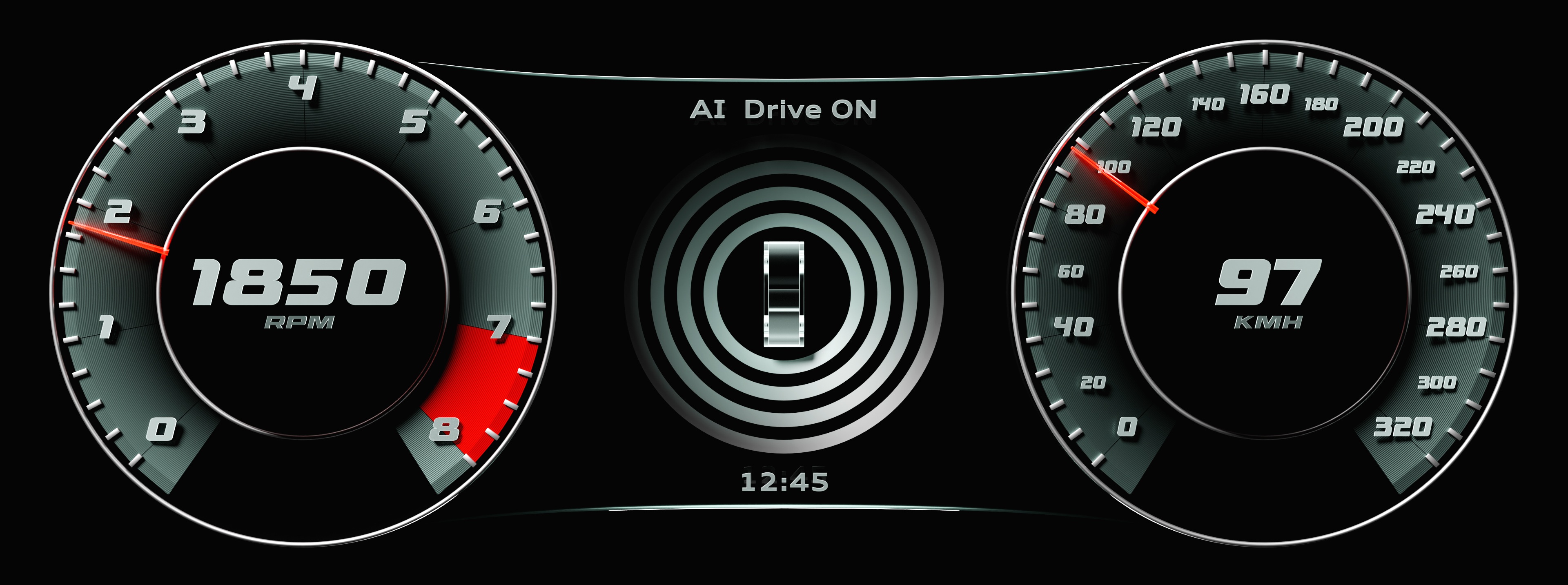
In modern embedded UI development, user interfaces are no longer static screens. They must reflect real‑time data, respond to application logic, and remain consistent across different product variants. In Sparklet UI Designer, this connection between UI and application logic is enabled through a well‑defined Data Model.
Rather than treating data as a passive resource, Sparklet’s Data Model acts as a core UI component that defines how values are structured, formatted, and consumed by widgets. Built using Data Variables and Data Bridges, the Data Model provides a scalable and maintainable approach to embedded UI data binding.
This blog explores the Data Model in Sparklet UI Designer, explains its key elements, and highlights why it is essential for building robust embedded graphical user interfaces.
Why a Data Model Is Essential in Embedded UI Design
Embedded systems operate under tight constraints while still needing to present dynamic and meaningful information. Typical challenges include:
- Displaying real‑time values from sensors or control logic.
- Maintaining consistent data formatting across multiple screens.
- Supporting scalable UI updates without increasing code complexity.
- Ensuring predictable behavior on resource‑constrained hardware.
Without a structured data approach, UI projects often rely on hard‑coded values or custom logic scattered across the application. Sparklet’s Data Model addresses this by clearly separating data definition, data formatting, and UI presentation, resulting in cleaner architecture and easier maintenance.
What Is the Data Model in Sparklet UI Designer?
The Data Model in Sparklet UI Designer defines how application data is exposed to the UI layer. It acts as a centralized data abstraction that UI widgets can bind to, without directly depending on backend logic or firmware implementation.
Conceptually, the Data Model is implemented using an EFD resource, but from a design and architectural perspective, it functions as a core Sparklet component rather than a simple file. UI elements reference data through this model, ensuring consistency and reusability across the project.
Core Elements of the Sparklet Data Model
The Data Model is built on two key components:
- Data Variables – define what data exists and its characteristics
- Data Bridges – define how that data is interpreted or formatted for display
Together, they form a powerful data binding mechanism for embedded GUIs.
Data Variables: Defining Application Data
Data Variables represent the actual values used by the application and displayed on the UI. They are comparable to strongly typed variables in traditional programming, but designed specifically for visual data binding.
Each Data Variable includes properties such as:
- Name and unique identifier
- Data type (integer, float, string, etc.)
- Minimum and maximum value constraints
- Unit or semantic meaning (for example, speed, percentage, temperature)
By defining these attributes upfront, Sparklet ensures predictable behavior across widgets and prevents invalid or out‑of‑range data from being displayed.
Data Bridges: Transforming Data for Display
While Data Variables define raw values, Data Bridges control how those values appear on the UI. This separation allows application logic to remain simple while giving designers full control over presentation.
Data Bridges can be used to:
- Format numeric values as strings
- Convert enumerated values into readable text
- Map value ranges to UI‑specific scales
- Adapt raw data for visual components like labels or indicators
This approach eliminates the need for repetitive formatting logic in application code and keeps display rules centralized within the UI design.
How the Data Model Simplifies Embedded UI Architecture
Clean Separation of Concerns
The Data Model separates what the data is from how it is displayed. Application logic updates data values, while the UI automatically reflects those changes through binding. This reduces coupling between firmware and UI layout.
Consistent Data Usage Across Screens
A single Data Variable can be reused across multiple views, ensuring that values remain consistent wherever they appear. Any formatting or transformation applied through Data Bridges is automatically reused.
Reduced UI Complexity
By centralizing data definitions, designers avoid duplicating widgets or adding manual update logic. This leads to simpler UI hierarchies and easier long‑term maintenance.
Practical Use Cases of the Sparklet Data Model
- Automotive and Instrument Cluster Displays: Automotive UIs rely heavily on real‑time data such as speed, RPM, and fuel levels. The Sparklet Data Model allows these values to be defined once and reused across the cluster, while Data Bridges handle formatting and scaling.
- Industrial and Medical HMIs: In industrial and medical interfaces, accuracy and clarity are critical. The Data Model ensures that all UI elements display validated, constrained data, reducing the risk of incorrect or misleading information.
- Consumer Electronics and IoT Devices: For consumer devices, the Data Model simplifies binding sensor data and system states to UI widgets, enabling responsive and scalable interfaces without increasing application complexity.
Conclusion
The Data Model in Sparklet UI Designer is a foundational component that connects application logic with visual representation. By structuring data through Data Variables and Data Bridges, Sparklet enables clean data binding, consistent formatting, and scalable UI design.
Rather than treating data as a static resource, the Data Model establishes a clear architectural layer that improves maintainability, reduces UI complexity, and supports modern embedded GUI development. For teams building professional embedded interfaces, understanding and using the Sparklet Data Model is essential.
https://sparkletui.com/documentation/