
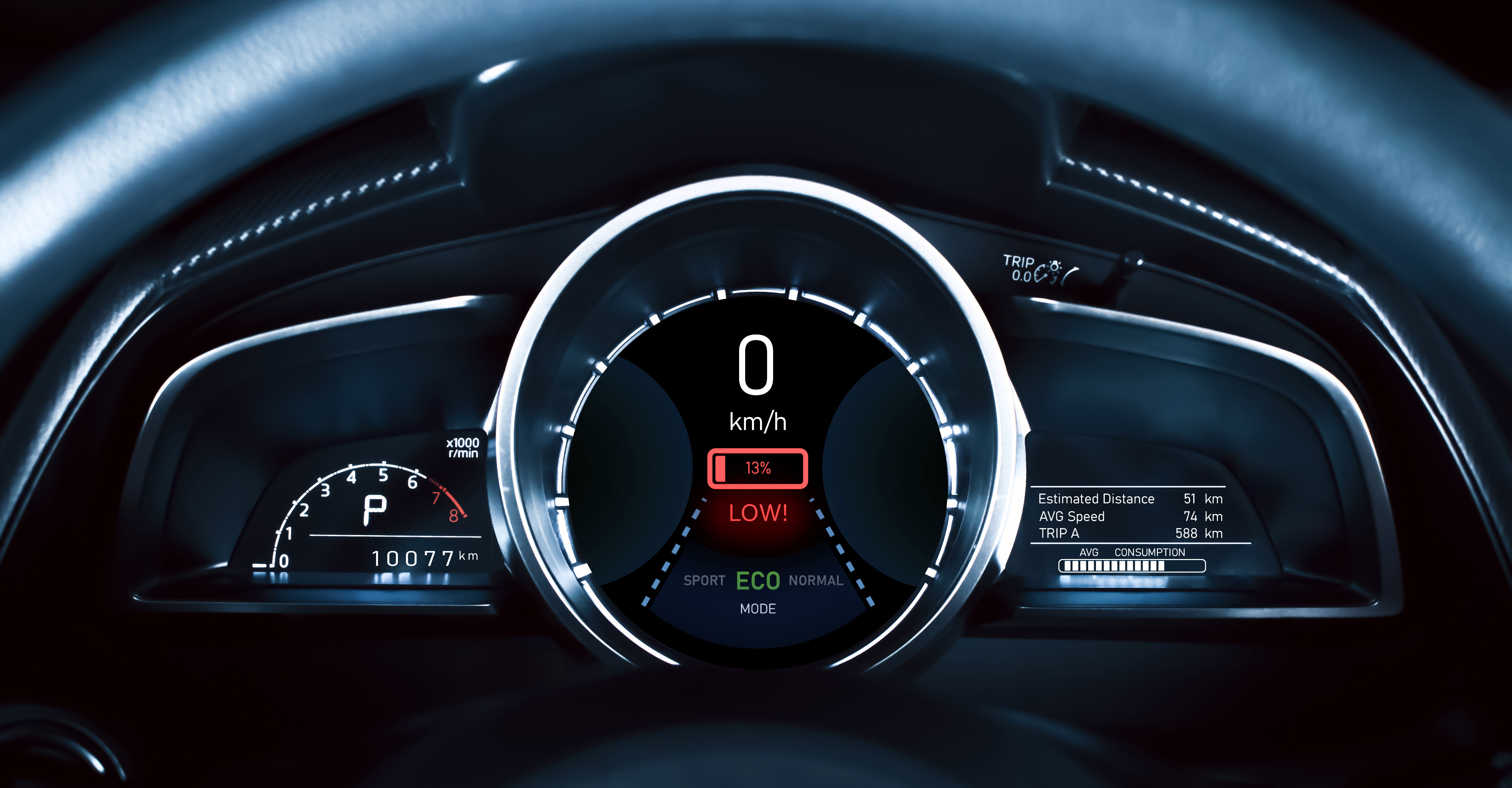
In today's connected world, embedded devices are everywhere—from smart thermostats to medical monitors and industrial control panels. The user interface for these devices is no longer a static display of numbers; it's a dynamic canvas that needs to convey complex information in a simple, elegant, and effective manner. A critical, yet often overlooked, challenge in creating these modern UIs is the dynamic display of text. Whether it's showing a sensor reading, a status message, or a combination of both, the ability to seamlessly combine different strings is essential.
A seemingly simple task like displaying a value with its unit can quickly become complex in resource-limited systems. Hardcoding every possible text combination isn’t practical, and dynamic string manipulation often adds unnecessary overhead. The Text Concatenation Effect in the Sparklet embedded graphics library provides a powerful and efficient solution. It enables developers to create dynamic text displays without performance compromises, resulting in richer, more responsive, and easily maintainable UIs.
The Role of Text Concatenation in Modern UI
While not a traditional visual effect like a fade or a blur, text concatenation is an 'effect' in the sense that it dynamically alters a graphical element (text) at the rendering stage. Its role in modern UI is central to providing clear, real-time information.
In a dynamic interface, data changes constantly. A temperature reading, a battery percentage, or a download status all need to be displayed in context. For example, a temperature is useless without its unit (°C), and a battery level is meaningless without a '%' sign. These are simple examples of text concatenation, where a static prefix or suffix is combined with a dynamic value.
This functionality provides a way for showing a rich and elegant interface by:
- Improving Readability: Combining different text sources into a single, cohesive line of text makes the display easier to read and understand at a glance.
- Reducing Redundancy: Instead of creating separate text elements for a label and its value, you can use a single, unified text widget.
- Simplifying Localization: By separating the static label from the dynamic data, it becomes easier to handle different languages and text directions without changing the core rendering logic.
- Allowing Real-Time Editing: Sparklet's Text Concatenation Effect allows developers to dynamically change the source strings, ensuring the UI always reflects the most current state of the system.
Without a robust text concatenation mechanism, developers are often forced to use low-level C functions to build strings in memory, a practice that can lead to memory leaks, buffer overflows, and significant performance bottlenecks. Sparklet’s approach bypasses these risks by handling the concatenation at the UI rendering level, keeping the process lightweight and secure.
Diverse Use Cases for Text Concatenation
The versatility of the Sparklet Text Concatenation Effect makes it applicable across a wide range of embedded applications:
- Dashboards and Displays: Combine a sensor name with its current reading, such as 'Temp: 25.5 °C' or 'Humidity: 45 %.' This is a perfect example for IoT devices, smart home hubs, and industrial monitoring systems.
- Status Indicators: Show real-time status messages like 'Downloading 80%...' or 'Battery: 95%.' This provides critical user intimation and a sense of a responsive system.
- Time and Date Displays: Format the current time and date in various ways, for example, 'Wed, Aug 30, 11:21 PM.' This is particularly useful for clock radios, digital watches, and smart appliances.
- User Information: Display user-specific data, such as a username and a welcome message, like 'Welcome, John Doe!'
- Navigation Systems: Show dynamic travel information, for instance, 'Next turn in 500 ft' or 'Arriving at 11:30 AM.'
These examples highlight how Sparklet's Text Concatenation Effect is not just about combining strings; it's about making the UI a dynamic, data-driven window into the system's state. It empowers developers to create GUI widgets that are both informative and aesthetically pleasing.
Sparklet's Text Concatenation: Engineered for Embedded Systems
While other platforms might offer text concatenation, Sparklet’s implementation is specifically optimized for the unique constraints of embedded systems. It's designed to be highly customizable and performant, even on hardware with limited resources.
Here's why our approach is a game-changer for embedded UI developers:
High Customizability and Configuration:
Sparklet treats concatenation as a configurable effect. It is not limited to just two strings; you can concatenate multiple strings, numbers, and variables in a single operation. The effect allows for granular control over:
- Sources: Define multiple sources for the text—this could be static strings, dynamically updated variables from your application, or other text widgets. This feature is particularly powerful as it allows you to combine data from various parts of your system without manual string building.
- Positioning and Spacing: Control the horizontal and vertical positioning of each concatenated part, ensuring the final output is perfectly aligned. You can also define the spacing between each component.
- Formatting: Apply different fonts, colors, and styles to individual parts of the concatenated text, giving you the power to highlight a specific value or make a unit stand out. For example, the number in a temperature reading could be bold and red, while the unit remains a standard font.
Effective User Intimation:
By seamlessly updating concatenated text, the UI can provide immediate and elegant user feedback. When a sensor value changes, the UI updates the text without any flicker or delay, ensuring a smooth and responsive experience. This is crucial for applications where real-time data is critical.
Minimal Resource Footprint:
Unlike solutions that require large memory buffers for string manipulation, Sparklet's engine performs concatenation at the rendering stage. This means it only uses the necessary resources for the final rendered output, not for intermediate string storage. This approach minimizes memory usage and CPU cycles, which is critical for resource-limited systems.
Seamless Theme Integration
Sparklet's architecture cleanly separates UI design from application logic. This extends to text concatenation. You can define styles for concatenated text elements as part of a global theme. This means that a change in the theme can automatically update the fonts, colors, and other styling of your concatenated text across the entire application, making it easy to create different visual moods for your product line.
Benefits of Sparklet for Embedded UI
As embedded devices become more complex and data-rich, the ability to display dynamic information with ease and elegance will become a key differentiator. A high-quality UI isn't just about graphics; it's also about a clean, readable presentation of information. Sparklet's Text Concatenation Effect is a testament to our philosophy of empowering developers with tools that simplify complexity and elevate design.
It allows you to focus on the core functionality of your application while Sparklet handles the intricate details of presenting a beautiful and responsive GUI. It’s an essential part of our promise to provide a comprehensive, production-ready solution for modern embedded UI components.
Conclusion
Text concatenation is more than a utility; it's a critical effect for modern embedded UIs. It enables developers to create dynamic, data-driven interfaces that are not only functional but also elegant and engaging. With Sparklet's highly customizable and resource-efficient Text Concatenation Effect, you can effortlessly display real-time information, ensuring your product's GUI is a source of clarity and user satisfaction, even on the most constrained hardware.
Ready to master dynamic text in your embedded GUIs? Dive into the detailed documentation for Sparklet's Text Concatenation Effect.
https://sparkletui.com/flint-ui-designer