
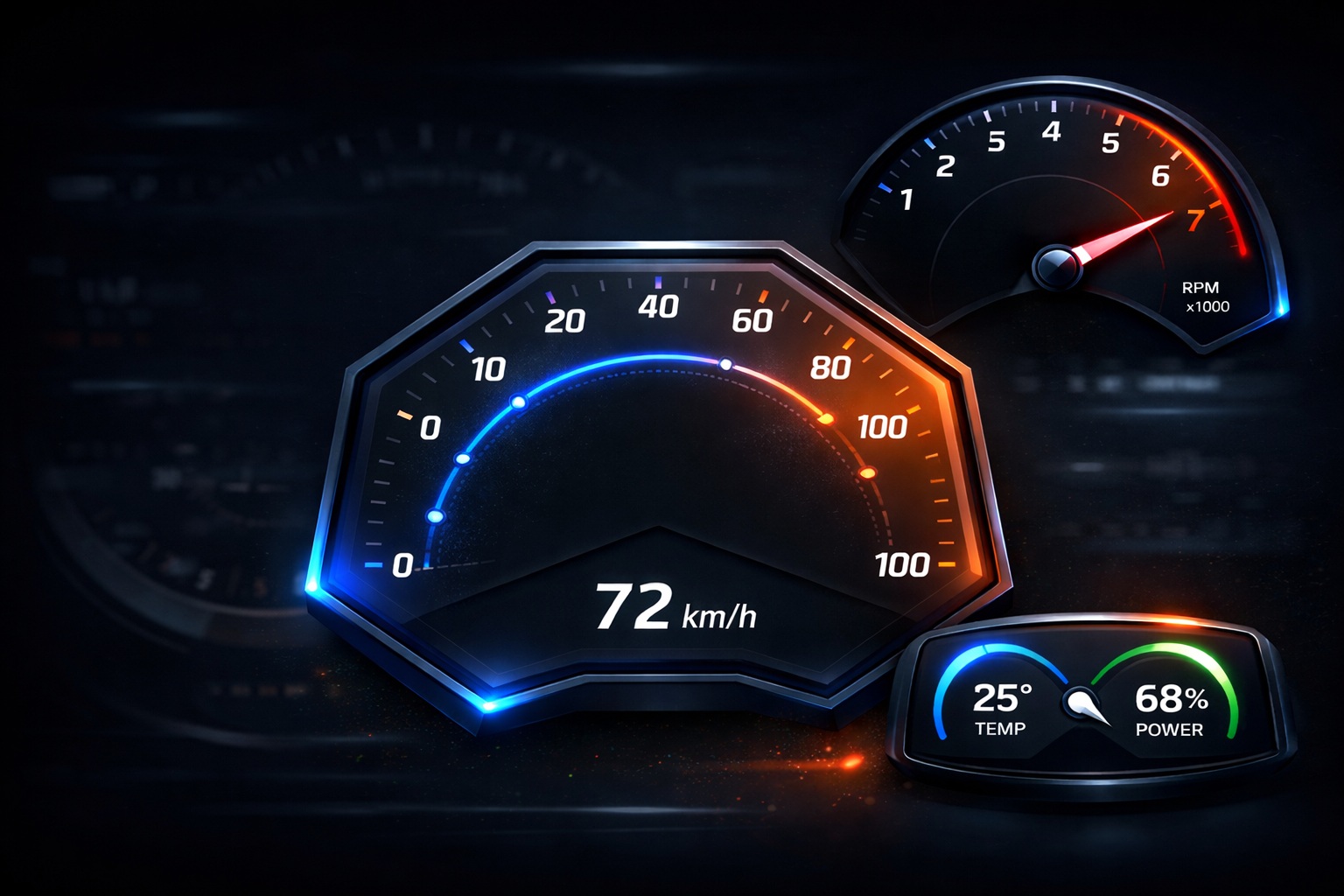
For decades, the standard gauge—whether on a car dashboard or an industrial pressure monitor—was a perfect circle. A needle rotated around a single, fixed point in the dead center. It was simple, predictable, and frankly, a bit limiting.
Today, designers are pushing boundaries. We see hexagonal speedometers in EVs, asymmetric tachometers in sports bikes, and flowing, rounded-rectangle meters in smart appliances.
However, this design freedom introduces a physics problem. In a non-circular or asymmetric shape, the "center" of rotation isn't constant. If you use a standard fixed pivot for a needle traversing a flattened arc or a squircle, the needle will drift off the track, creating an uncanny, "broken" look.
Enter the Dynamic Pivot Effect in Sparklet UI Designer.
What Is the Dynamic Pivot Effect?
The Dynamic Pivot Effect is a rendering technique that allows the rotation pivot of a needle to change dynamically based on the current value of the gauge. Instead of rotating around a single static center point, the needle adapts its pivot position as values change, ensuring smooth, natural motion even in complex geometries.
This approach is especially effective for:
- Non-circular gauges
- Custom UI designs with varying curvature
- Meters where the visual center shifts across the scale
By dynamically adjusting the rotation center, the Dynamic Pivot Effect maintains visual accuracy and realism across the entire gauge range.
Why Static Pivot Points Fail in Custom Gauge Designs
In conventional circular gauges, a fixed pivot point works because the geometry is symmetrical. But in custom-shaped gauges, symmetry no longer exists.
Common issues with static pivot rotation include:
- Needle misalignment at certain values
- Jerky or unnatural movement near edges
- Visual drift in asymmetric designs
- Inconsistent angle-to-value mapping
Dynamic Pivot solves these problems by adapting the pivot position to match the visual geometry of the gauge, not just the mathematical center.
Implementing Dynamic Pivot Using EFO (Ordered List)
In Sparklet UI Designer, the Dynamic Pivot Effect is driven through an EFO (Ordered List) configuration, which acts as a structured mapping between gauge values and their corresponding visual behavior. Instead of relying on runtime calculations, the ordered list defines how the needle’s angle and pivot position evolve across the gauge range.
Each entry in the ordered list represents a specific value point and stores the associated rotation angle along with the pivot coordinates. As the gauge value changes, the Dynamic Pivot engine references this ordered data to determine the most appropriate pivot position for the current value. This approach ensures that needle movement remains visually consistent even when the gauge geometry changes across the scale.
To maintain smooth transitions between defined points, Flint supports multiple fit strategies, including linear interpolation. These fit types allow intermediate values to be calculated naturally between two known pivot positions, preventing abrupt shifts or unnatural jumps in needle motion.
By leveraging EFO ordered lists, Dynamic Pivot achieves:
- Predictable and deterministic needle behavior
- Smooth motion across complex gauge geometries
- Efficient execution suitable for embedded systems
This design makes Dynamic Pivot both designer-friendly and runtime-efficient, enabling accurate needle movement for custom-shaped and non-circular gauges without compromising performance.
Real-World Example: The "Squircle" Gauge
Imagine a thermostat dial shaped like a rounded square (squircle) ranging from 0 to 100 degrees.
- Point A (Value 0): Pivot is at bottom-left (50, 200). Needle points South-West.
- Point B (Value 50): The gauge flattens out at the top. The pivot shifts upward to (100, 150) to keep the needle perpendicular to the flat top edge.
- Point C (Value 100): Pivot drifts to bottom-right (150, 200). Needle points South-East.
- Design Flexibility: You are no longer restricted by geometry. If a car manufacturer wants a hexagonal speedometer to match their brand logo, you can build it.
- Improved Realism: Physical needles in complex machinery often use linkage arms that change the pivot center. This effect mimics that high-end mechanical feel on a digital screen.
- Performance: The Sparklet graphics library is optimized for resource-constrained embedded systems. The Dynamic Pivot calculation is mathematically efficient, requiring minimal CPU overhead compared to 3D rendering or complex masking techniques.
By setting Linear Fit, Sparklet interpolates the pivot movement between 0-50 and 50-100. The user sees a needle that naturally "glides" along the square track, rather than just spinning in a circle.
Why This Matters for Embedded HMIs
Why go through this effort?
Conclusion
The Dynamic Pivot Effect is more than just a feature; it is a bridge between creative design and technical reality. It allows engineers to build interfaces that are visually rich, brand-aligned, and mechanically accurate.
Whether you are building the dashboard for a next-gen sports car or the control panel for a smart washing machine, Dynamic Pivot ensures your UI moves as good as it looks.
https://sparkletui.com/documentation/