
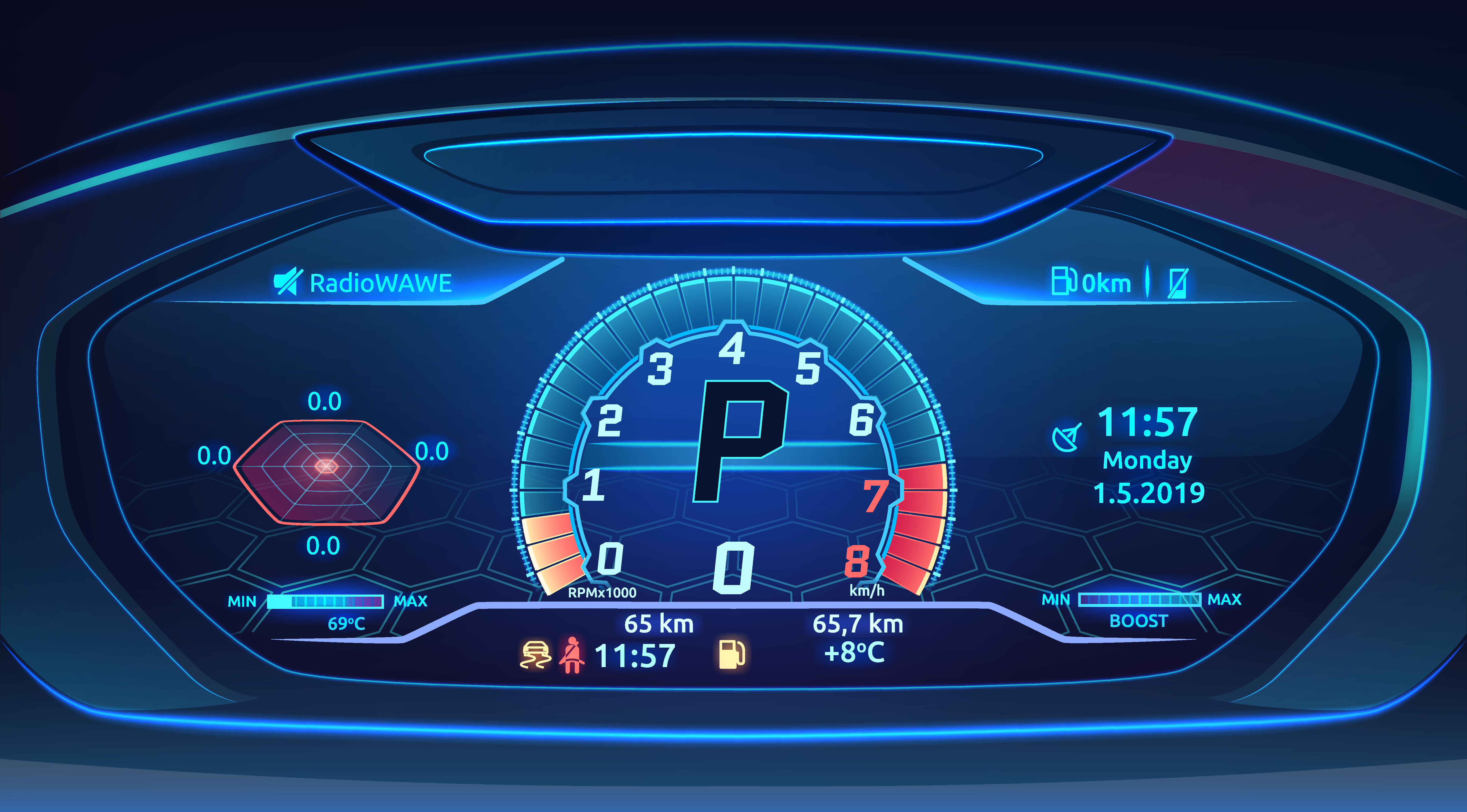
In the rapidly evolving landscape of embedded systems, user interfaces are no longer static. They must be dynamic, responsive, and intelligently adapt to real-time data and system states. Achieving this level of sophistication on resource-limited systems requires precise, instantaneous control over the visual presentation of every element. Two fundamental effects that underpin this capability are the Translate Effect and the 2D Rotate Effect. These effects enable immediate repositioning and reorientation of UI components, providing a powerful way for showing rich and elegant designs that are both intuitive and easily editable.
The continuous demand for advanced UI features, often clashing with the inherent constraints of embedded hardware. The challenge lies in delivering dynamic visual control without incurring significant performance overhead. This is precisely where our Sparklet embedded graphics library excels. Sparklet's Translate and 2D Rotate Effects are engineered for efficiency, allowing developers to implement highly responsive and adaptable UIs with minimal impact on system resources.
The Role of Translate & 2D Rotate Effects in Modern UI
The Translate Effect refers to the instantaneous movement of an image layer of a widget from one position to another within its designated boundary, without any deformation. Similarly, the 2D Rotate Effect allows for the immediate adjustment of a widget's orientation around its Z-axis (for flat 2D rotation). Crucially, these effects execute without any animation or smooth transitions; changes are instantaneous, reflecting a new data state directly.
Their essential role in modern UI design stems from their ability to:
- Visualize Internal States: The Translate Effect is perfect for UIs where an element's internal state needs to be represented. For instance, a thermometer widget could use the Translate Effect to instantly move the image layer of the mercury line to reflect a new temperature value inside its static container.
- Provide Instant User Feedback: An icon within a button widget could instantly translate a few pixels to the right upon a press to give a tactile-like visual response. This direct visual feedback offers unambiguous user intimation that an action has been registered.
- Visualize State Changes: A common use for the 2D Rotate Effect is for toggles or switches. A single icon of a toggle could instantly rotate 180 degrees to show 'On' (rotated position) or 'Off' (original position). This provides a clear, compact visual representation of binary states.
- Optimize Widget Space: By dynamically moving an image layer, you can create widgets that are more efficient with their internal space. For example, a progress bar could use the Translate Effect to reposition the fill image within the widget's boundary to represent completion, without altering the widget's size.
- Facilitate Compact Designs: These effects are essential for creating dynamic yet compact GUI widgets. For instance, an icon inside a navigation button could instantly move to a different internal position to highlight a sub-option, ensuring the widget remains a single, coherent component.
These internal layer-level transformations are vital for building sophisticated and functional embedded UI components on constrained hardware.
Sparklet’s Translate & 2D Rotate Effects: Customizable and Resource-Optimized
Implementing dynamic repositioning and reorientation on resource-limited systems demands more than just basic functionality; it requires highly optimized and customizable tools. Sparklet’s engine is specifically designed to deliver this, making it a critical advantage for embedded UI developers building modern products.
Here’s a detailed look at what distinguishes Sparklet’s Translate and 2D Rotate Effects:
High Customizability and Configuration (Instantaneous Control)
Sparklet offers granular control over these effects' static properties.
- Translate Effect - Precise X and Y Offsets: You can define exact pixel-level changes to an image layer's horizontal and vertical position by setting the values directly in your application code. This allows a widget's internal image to jump to a new position as soon as your application's logic dictates.Specify the origin for the movement, ensuring predictable repositioning relative to the widget's own coordinates.
- 2D Rotate Effect: Static Angle Control: You can instantly set the exact rotation angle for a 2D rotation. The rotation is performed around the exact center of the image layer, enabling immediate and predictable reorientation.
Effective User Intimation (Instant Feedback)
These effects are designed for direct, instantaneous feedback. Your application's logic triggers a Translate or 2D Rotate effect by directly setting the desired values in response to an event (e.g., a sensor change or user input). This ensures that visual changes are immediate and unambiguous, providing clear user intimation—for example, an icon instantly relocating or reorienting when your code updates its properties.
- Optimized Performance on Resource-Limited Systems: The true power of Sparklet lies in its underlying rendering engine. Translate and 2D Rotate effects are computationally light. They are performed efficiently at the rendering pipeline stage, leveraging optimized fixed-point arithmetic. This design avoids the overhead of complex animation engines or continuous frame calculation. The result is instant, jank-free visual updates with minimal CPU and memory overhead, even on microcontrollers lacking a floating-point unit or dedicated graphics acceleration. This is crucial for maintaining real-time responsiveness on resource-limited systems.
- Seamless Theme Integration: Sparklet's robust theme management system extends to the parameters of these effects. Default positions and rotation angles for GUI widgets can be defined within a theme. This allows for rapid re-theming of an entire application—for example, changing from a left-aligned layout to a center-aligned layout, or altering the default orientation of status icons—by simply loading a new theme, without modifying the underlying application code. This makes the UI highly editable and adaptable for different product lines or branding requirements.
By offering this blend of precise control, efficiency, and flexibility, Sparklet empowers embedded UI developers to move beyond static displays and create truly dynamic, data-driven, and elegant user experiences.
The Sparklet Advantage
The demand for intuitive and visually engaging user interfaces in embedded systems is continuously growing. Relying on static, inflexible UI designs is no longer viable in a competitive market. The Sparklet embedded graphics library is our comprehensive solution to this challenge. We provide powerful, efficient features—like the Translate and 2D Rotate Effects—that enable developers to create modern, responsive experiences without compromising on performance. Our commitment to efficiency, customization, and ease of use ensures you can focus on building a great product, confident that the UI will be a key differentiator.
Conclusion
Dynamic repositioning and reorientation are fundamental to crafting modern, functional, and responsive embedded GUIs. The Sparklet Translate Effect and 2D Rotate Effect offer developers powerful, flexible, and exceptionally resource-efficient ways to achieve this. By enabling precise, instantaneous changes to position and orientation based on data, they allow for the creation of UIs that provide clear user intimation, adapt intelligently to system states, and offer a polished aesthetic, all while maintaining optimal performance on resource-limited systems.
Ready to bring your embedded UI to life with precise, data-driven layout control? Discover the full potential of these features by exploring the detailed documentation for Sparklet's Translate & 2D Rotate Effects.
https://sparkletui.com/flint-ui-designer