
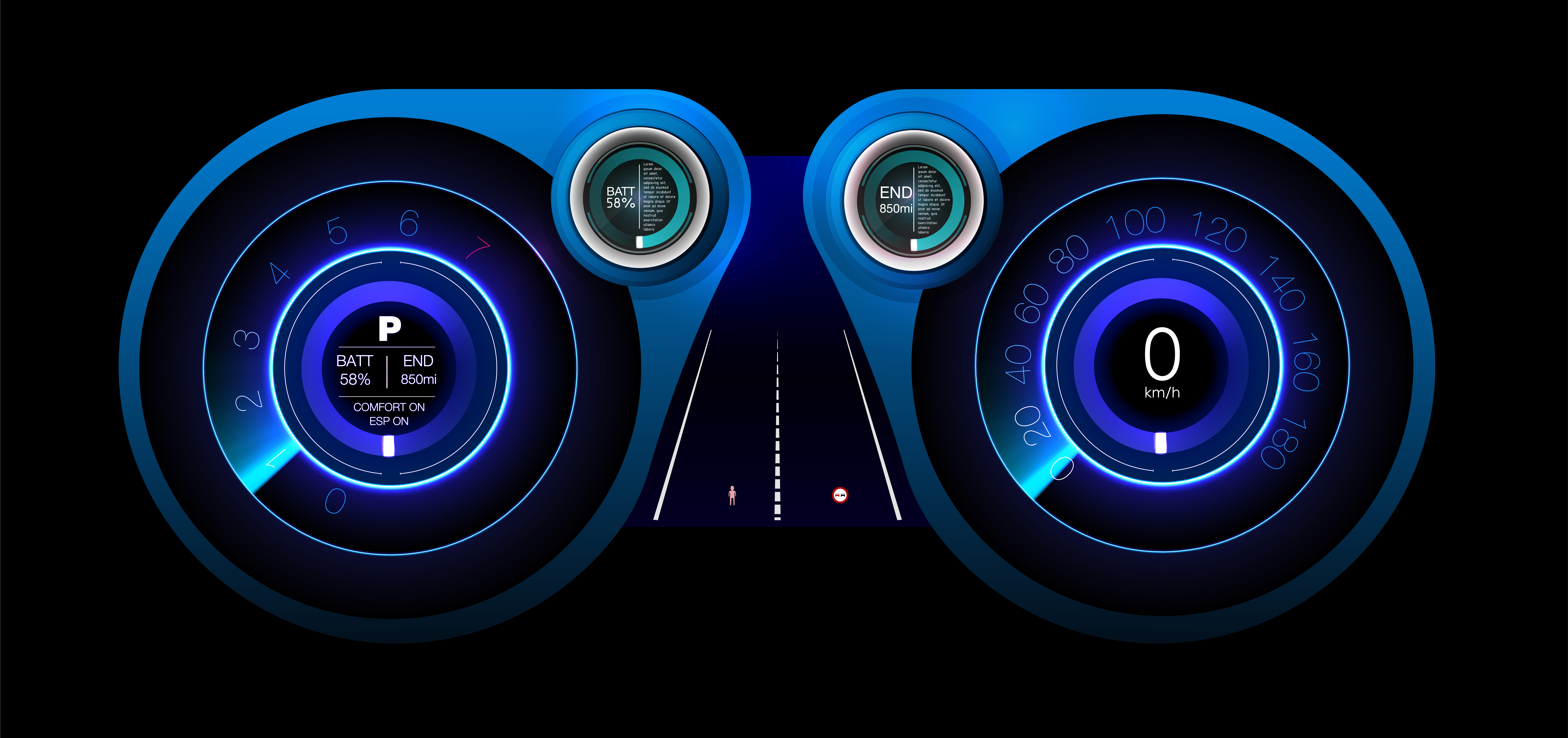
In the world of embedded systems, user interfaces have evolved far beyond simple buttons and status lights. Today's users expect rich, elegant, and immersive experiences, even on devices with tight memory and processing constraints. A crucial element in achieving this is the ability to break free from the flat, two-dimensional plane and introduce a sense of depth and perspective. This is where the Frustum Effect becomes an indispensable feature.
The conventional wisdom has long been that true 3D graphics are too demanding for resource-limited systems. However, our approach with the Sparklet embedded graphics library challenges this notion. We’ve found that by intelligently applying a highly optimized rendering effect, we can achieve compelling 3D illusions that not only add visual polish but also enhance user intimation and interaction. The Frustum Effect is a perfect example of this philosophy in action. It provides a way for showing a rich and elegant interface while maintaining the lean performance footprint essential for embedded devices.
What is the Frustum Effect?
The term 'frustum' originates from 3D computer graphics and refers to the truncated pyramid shape that represents a camera’s field of view. The Frustum Effect in Sparklet takes this concept and applies it to a 2D UI. It’s a visual distortion where objects at the edges of the screen or viewport appear stretched or skewed, creating a powerful illusion of depth. By manipulating the perspective, it adds depth along the Z-axis, effectively projecting a 2D image as a 3D one.
This is not a full 3D rendering engine, which would be computationally prohibitive for many microcontrollers. Instead, it’s a smart, lightweight trick that warps the final rendered 2D output. Think of a static 2D image, like a photograph, being viewed through a fish-eye lens. The center remains relatively flat, while the edges are bent and distorted. The Frustum Effect gives developers this precise control, allowing them to transform a standard UI into a dynamic, perspective-driven experience with minimal performance overhead.
The magic of the Frustum Effect lies in its simplicity. It’s an efficient operation that works on the final rendered image or widget, rather than requiring complex calculations for every single vertex in a 3D scene. This makes it an ideal solution for resource-limited systems where a hardware-accelerated 3D pipeline isn't available.
The Role of Frustum Effects in Modern UI Design
The Frustum Effect is more than just a visual flourish; it's a powerful feature for enhancing usability and user intimation. By adding a sense of depth, it helps a UI feel more dynamic and responsive, guiding the user's focus and providing clear feedback.
Its key roles in modern UI design include:
- Creating a Sense of Immersion: A subtle frustum effect on a full-screen image or a dashboard background can pull the user into the display, making the interface feel less like a flat screen and more like a window into another space. This is particularly effective in automotive clusters, industrial control panels, or gaming consoles.
- Highlighting and Focus: You can use the effect to draw attention to a central element. For instance, a main menu that appears with a slight frustum warp can make the central content stand out, with surrounding GUI widgets appearing to recede into the background.
- Enhancing Transitions: When combined with other effects, the Frustum Effect can create stunning transitions. A menu panel could slide in from the side while a frustum effect gives it a sense of perspective, as if it's coming from a distant space and settling into place on the screen.
- Simulating 3D Environments: For applications that require a sense of a 3D space, like a virtual tour of a building or a navigation view, the Frustum Effect can provide the necessary perspective without the heavy computational cost of a full 3D engine. It's a way to achieve a '3D-like' feel on hardware that would otherwise be limited to 2D.
- Boosting Visual Appeal: Ultimately, the Frustum Effect makes an interface look more polished and modern. The subtle distortion and depth add a professional touch that distinguishes a product from its competitors, providing a way for showing a rich and elegant interface.
This effect allows designers to create embedded UI components that feel sophisticated, engaging, and alive, all while working within the constraints of embedded hardware.
Practical Use Cases for Frustum Effects
The versatility of the Sparklet Frustum Effects makes it a cornerstone for creating innovative and highly effective user interfaces across various industries.
- Automotive Displays: In digital cockpits, the effect can be used on the main instrument cluster display to make the entire dashboard feel dynamic. As the driver navigates menus, elements at the edges could appear to stretch, creating a 'warp speed' or a 'fish-eye' perspective that enhances the feeling of motion and speed.
- Home Automation Hubs: On a wall-mounted smart home control panel, the Frustum Effect could be applied to a carousel of room controls. As the user scrolls, the active room at the center appears flat and in focus, while the rooms at the edges are slightly distorted and appear to recede, providing a clear visual hierarchy.
- Medical Instruments: For diagnostic displays, the effect could be used on a series of charts or data points. When a specific data point is selected, a subtle frustum warp could highlight it, drawing the user's eye to the most critical information without a distracting full-screen change.
- Industrial HMIs: On a factory control panel, a series of gauges or indicators could be arranged in a row. A subtle frustum effect could make it seem as though these gauges are part of a circular console, adding a professional, high-tech aesthetic. This provides effective user intimation by guiding the operator's eye towards the active control or indicator.
- Wearable Devices: Given their small screen size, wearables benefit greatly from effects that add a sense of depth. A watch face could use a frustum effect to make the time in the center stand out, while surrounding complications (e.g., heart rate, step count) appear to wrap around the cylindrical shape of the watch, creating an intuitive and visually appealing design.
These examples demonstrate how the effect provides a powerful and intuitive way to manage user attention and add a premium feel to any GUI widgets.
Sparklet's Frustum Effects: Highly Customizable and Optimized
The true power of the Sparklet Frustum Effects lies not just in their existence but in their highly optimized and customizable implementation. We’ve designed these features to provide maximum creative freedom with a minimal performance cost, which is essential for embedded UI developers.
Customization and Control:
Sparklet gives developers precise control over the Frustum Effect parameters. You can adjust the degree of distortion, the focal point (where the 'flattened' or non-distorted area is), and the direction of the warp. This allows for a wide range of looks, from a subtle, barrel-like distortion to an extreme, fish-eye effect. This level of customization ensures that the effect can be perfectly tailored to match a product’s branding and design language, making the UI easily editable.
Efficient Rendering:
Unlike a true 3D engine that requires complex matrix calculations for every vertex in every frame, the Sparklet Frustum Effect is an efficient, post-processing operation. It’s applied to the final 2D rendered output, meaning the effect is executed with minimal CPU overhead. This is why it performs so well on resource-limited systems without dedicated GPUs.
Seamless Theme Integration:
The parameters for the Frustum Effect can be integrated directly into Sparklet’s theme management system. This means you can create a 'futuristic' theme where the UI has a strong frustum effect, and a 'classic' theme where the effect is either disabled or very subtle. Designers can switch between these looks with a simple theme change, without altering the underlying application code.
Effective User Intimation:
The effect can be dynamically linked to data variables. For example, a data variable from a sensor could control the intensity of the frustum effect, causing the display to subtly warp more as the sensor value approaches a critical threshold. This provides an innovative form of user intimation that feels integrated and organic.
By offering this blend of creative flexibility and technical efficiency, Sparklet empowers embedded UI developers to build sophisticated and visually rich interfaces that are both performant and commercially viable.
The Sparklet Advantage
The demand for visually engaging user interfaces in embedded systems is only growing. Relying on outdated, flat UI designs is no longer a viable option in a competitive market. The Sparklet embedded graphics library is our solution to this challenge. We provide the tools—like the Frustum Effect—that enable developers to create modern, immersive experiences without compromising on performance. Our commitment to efficiency, customization, and ease of use means you can focus on building a great product, confident that the UI will be a key differentiator.
Conclusion
The Frustum Effect is a powerful tool for injecting depth, dynamism, and visual elegance into embedded user interfaces. By providing a highly optimized way to achieve 3D-like perspective on resource-limited systems, Sparklet empowers developers to go beyond traditional 2D limitations. This effect not only elevates the aesthetic quality of your product but also enhances user intimation and interaction.
Ready to bring your embedded UI to life with a sense of perspective and depth? Discover the full potential of these features by exploring the detailed documentation for Sparklet's Frustum Effects.
https://sparkletui.com/flint-ui-designer